(This post contains affiliate links. I may earn a commission at no extra cost to you.)
You want to write a book. But the blank page is scary. Chapters take weeks. A cover costs money. Formatting for Amazon KDP is hard.
AI Long Ebook Creator says it can fix all of this. You type an idea. It writes the book. It makes the cover. It gives you files for Kindle and paperback.
That sounds great on a sales page. But does it work? This AI Long Ebook Creator review looks at what the tool offers. I used its demo, FAQ page, and pricing pages. I did not test a full, finished book by hand. I will tell you where each fact comes from.
Quick Verdict (TL;DR)
This AI Long Ebook Creator review shows a cloud tool. It writes, designs, and formats full ebooks for Amazon KDP. It uses AI to draft chapters. Then it turns them into Kindle and paperback files.
- Main strength: It does writing, cover design, and KDP formatting in one place. You skip several tools.
- Main limit: The pages I checked do not show a finished book from start to end. They also do not show a clear front-end price.
- Best for: People who want to self-publish on KDP. They do not want to write or format by hand.
- Worth it? Yes, if you plan to edit the AI’s work. No, if you want a hands-off, sure-thing money maker.
What Is AI Long Ebook Creator?
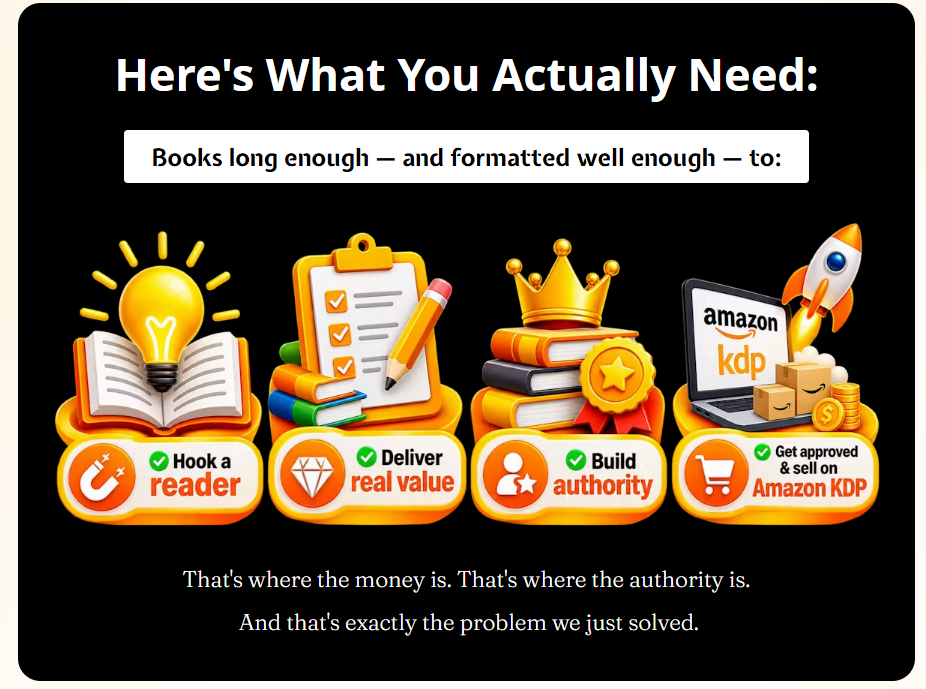
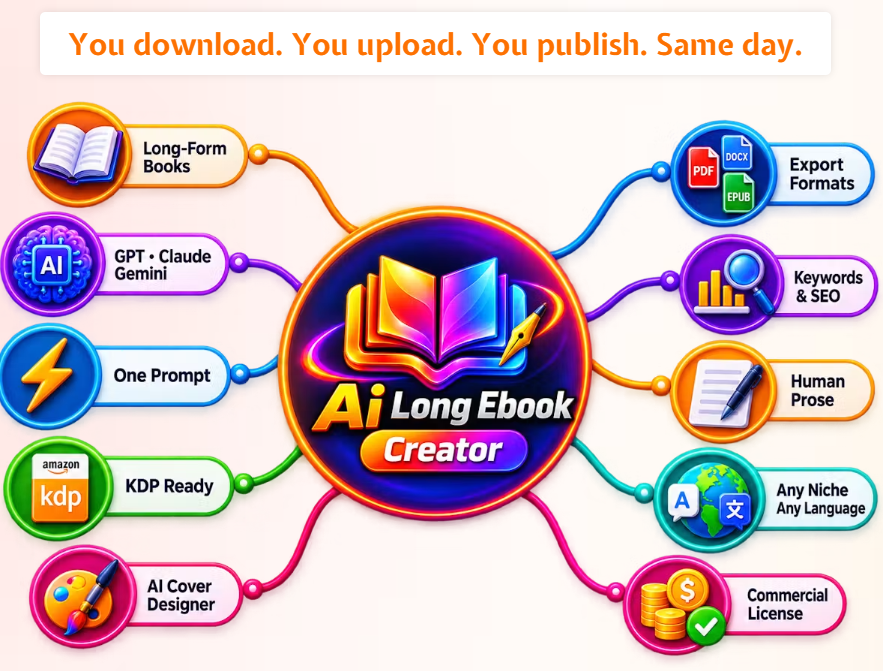
AI Long Ebook Creator is a cloud tool for self-publishers. Its job is simple. It turns one idea into a full book. That book is ready for Amazon KDP.
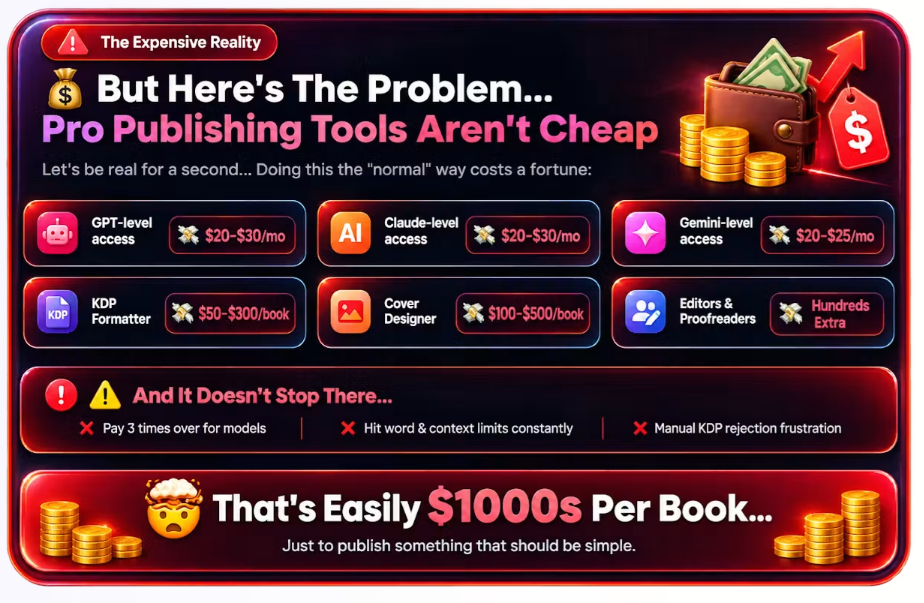
It solves a few common problems. Writing a full book takes time. A ghostwriter costs money. KDP formatting is technical. A cover often needs its own designer.
It is built for beginners first. The FAQ page says you do not need writing skill or AI skill. You type your book idea. The system builds the outline. It writes the chapters. It adds the front and back matter.
Main uses for AI Long Ebook Creator include self-publishing on KDP. Some buyers build books to sell to clients. Others build a library of book titles fast, without a full writing team.
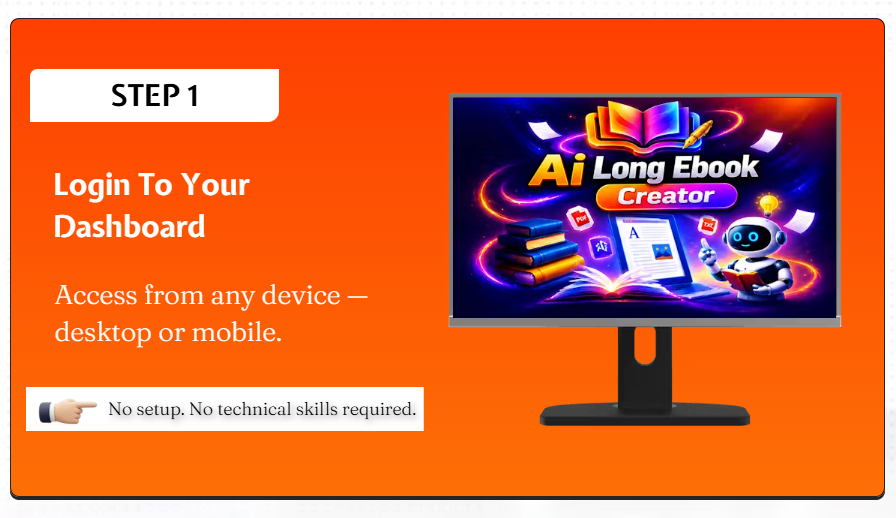
The tool runs in a web browser. You do not install anything. It works on Windows, macOS, Android, iOS, and tablets. This comes from the vendor’s FAQ.

The Problem With Creating Long Ebooks
How Does AI Long Ebook Creator Work?
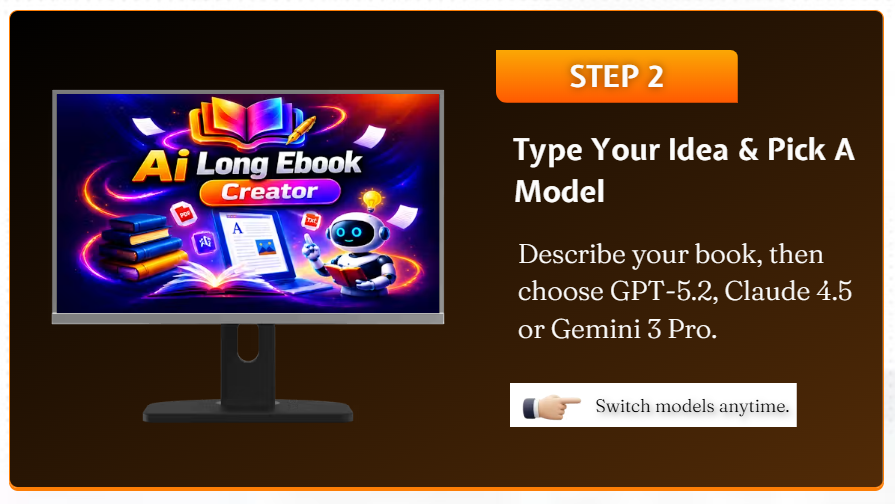
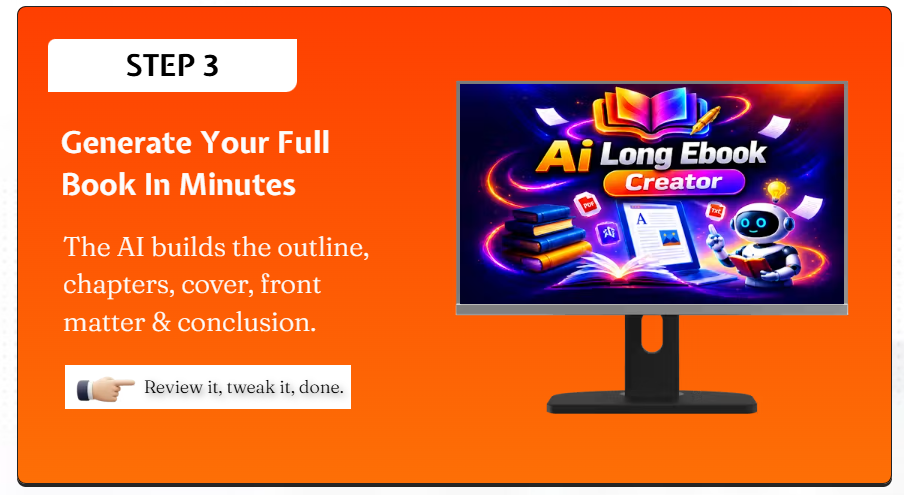
Based on the demo and product pages, here are the steps:
- Pick a book idea. You give the system a topic.
- Build the outline. The AI plans the chapters.
- Write the chapters. The AI drafts the full text.
- Check the draft. You read and edit it.
- Design the cover. The built-in AI Cover Designer makes a Kindle cover and a paperback wrap.
- Format the book. The system sets the trim size and margins for KDP.
- Export the files. You download the EPUB, the print PDF, and a DOCX file.
- Get ready to publish. You upload the files to your KDP account.
I could not check every small step inside the AI Long Ebook Creator editor. I did not watch the full demo video in deep detail for this piece. The steps above match the FAQ and product page.
AI Long Ebook Creator Demo Video
Want to see how AI Long Ebook Creator works before making a purchase? Watch the official demo video below to see its ebook creation workflow and features.
👉Watch the Official AI Long Ebook Creator Demo
AI Long Ebook Creator Features
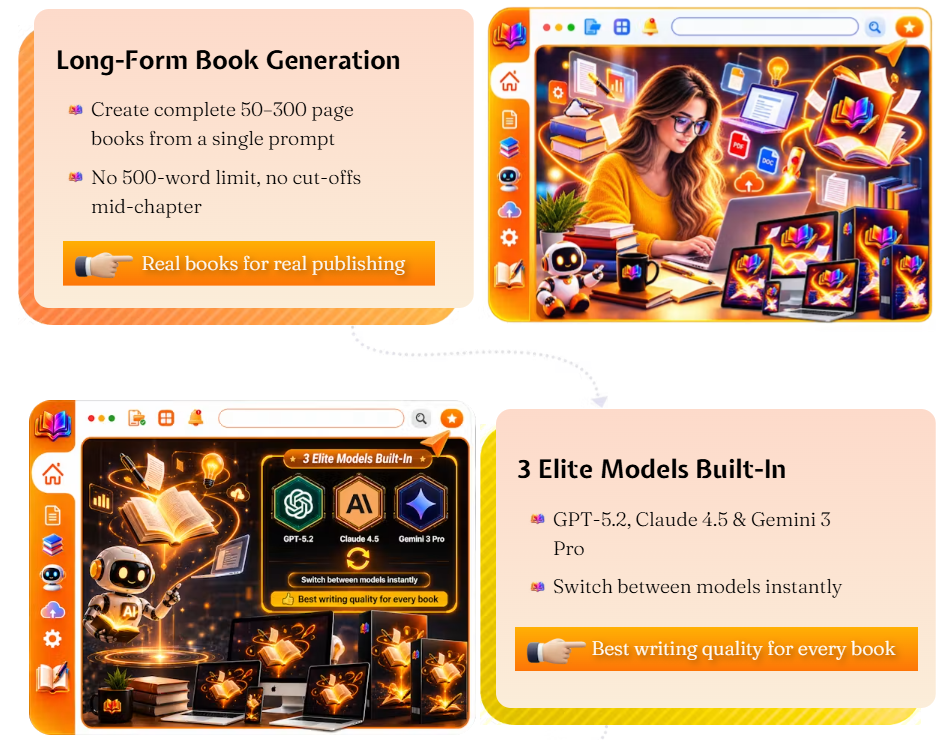
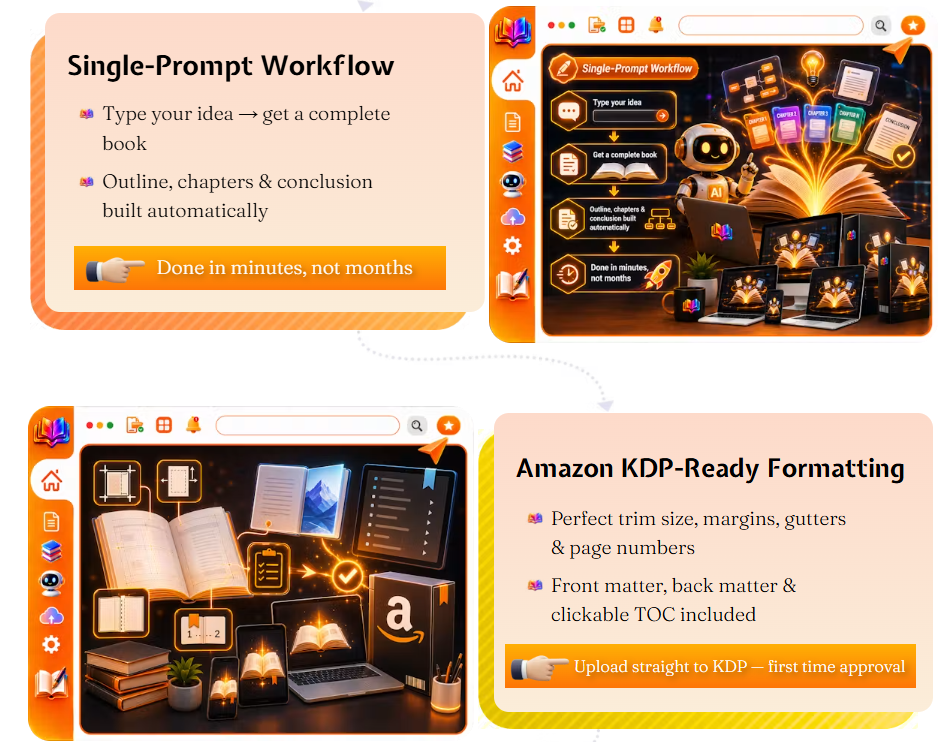
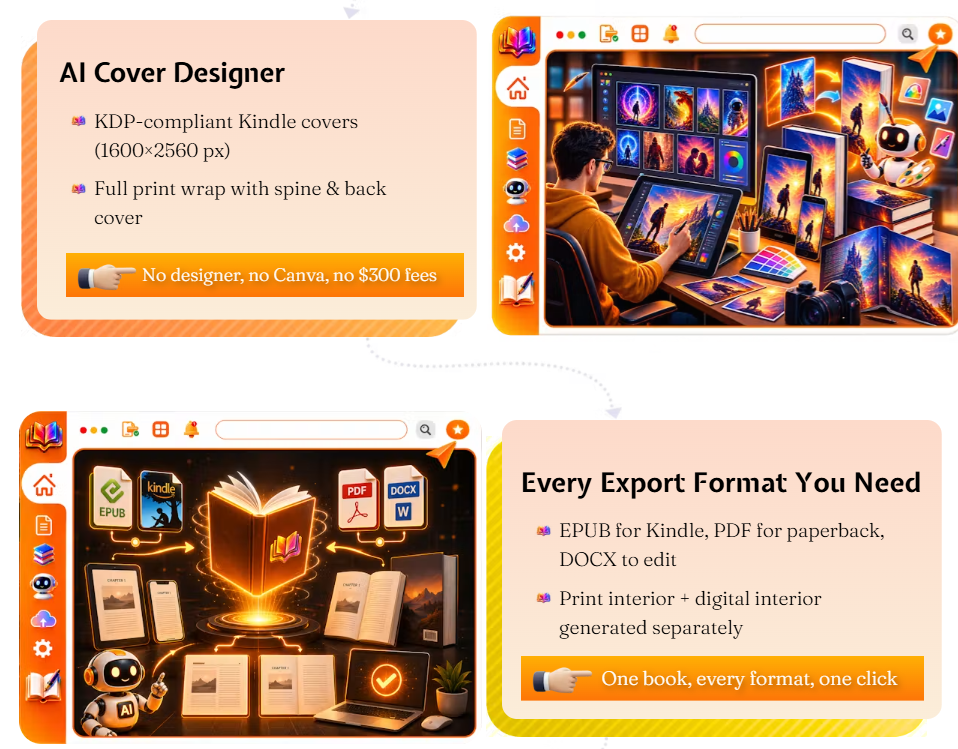
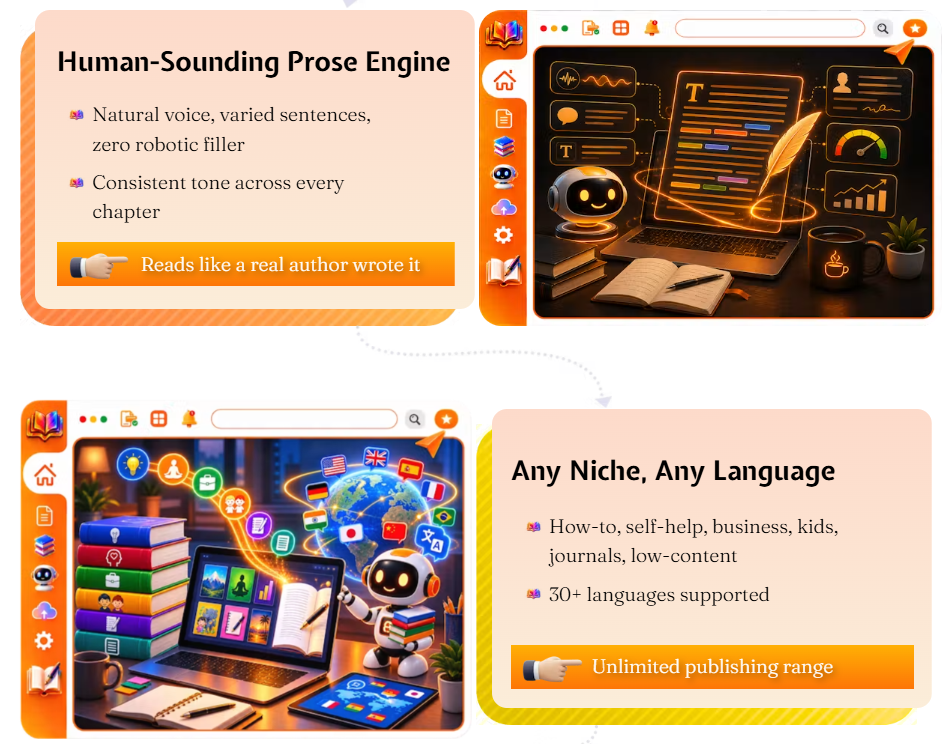
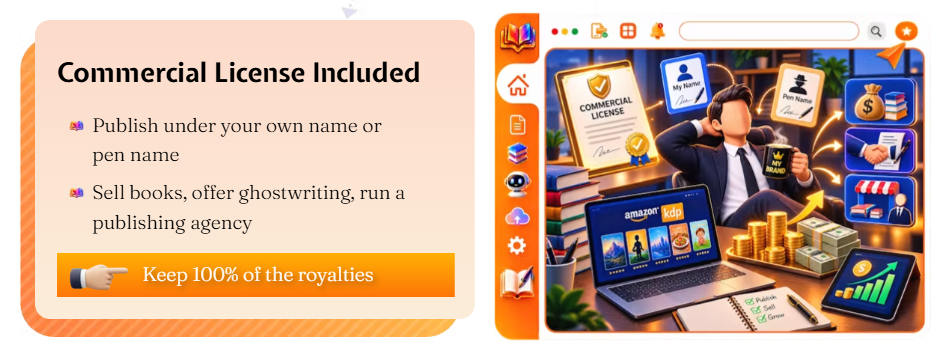
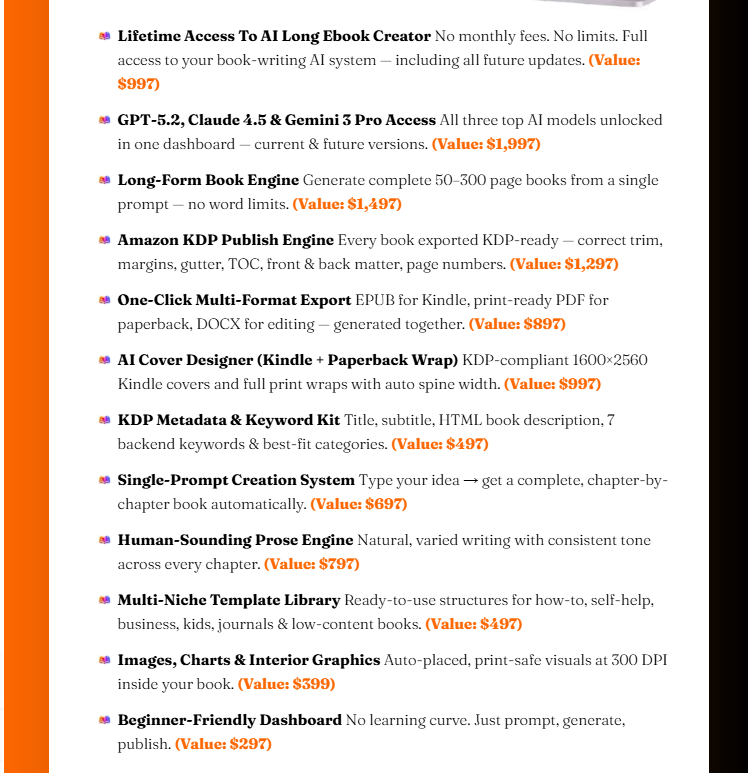
Long-Form Ebook Generation
This is the core feature. It builds full-length books from one prompt. It is not just short drafts. It handles the outline, the chapters, and the front and back matter together.
AI Writing and Chapter Creation
You can switch between three AI models. These are GPT-5.2, Claude 4.5, and Gemini 3 Pro. You are not stuck with one writing style. If one draft feels flat, you can try another model.
AI Ebook Cover Creation
A built-in AI Cover Designer makes covers. No extra software is needed. Per the FAQ:
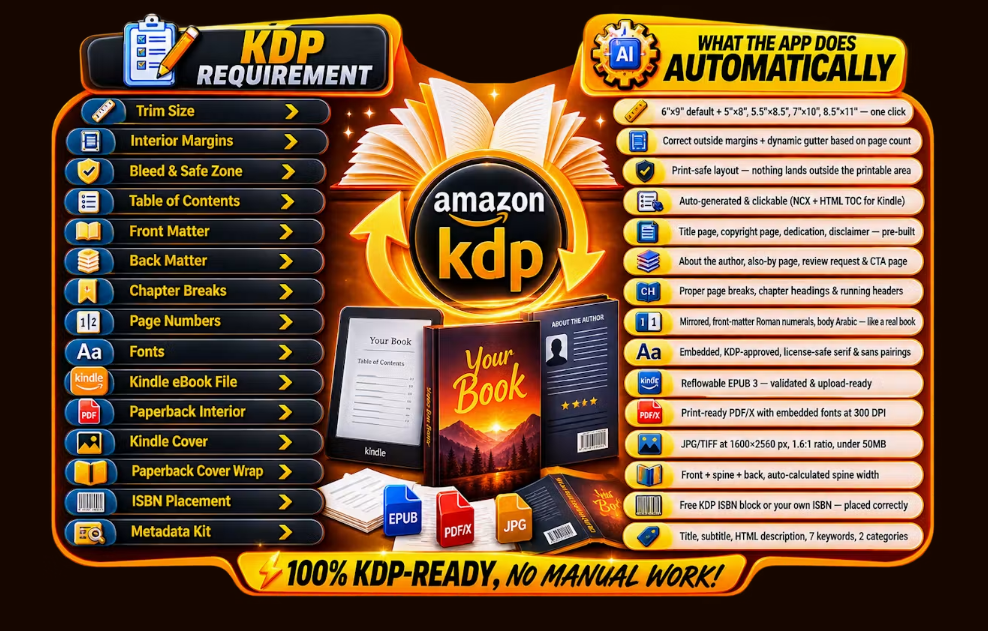
- Kindle covers are sized at 1600×2560 pixels.
- Paperback wraps are full covers. Spine width is set from your page count.
- You do not need Canva, Photoshop, or a paid designer for a basic cover.
KDP-Friendly Formatting
The tool formats your book for Amazon KDP rules. This covers trim size, margins, gutter space, page numbers, a clickable table of contents, and front and back matter. It supports five KDP trim sizes: 6″×9″ (the default), 5″×8″, 5.5″×8.5″, 7″×10″, and 8.5″×11″.
Book Metadata
The tool makes a metadata file with your book. If you own an ISBN, the app adds it to the copyright page. If not, Amazon gives a free ISBN for paperbacks. Kindle ebooks do not need one at all.
Export Options
Here are the export formats I could confirm:
- Kindle EPUB
- Print-ready paperback PDF
- DOCX
Multiple Genres or Use Cases
The pages I checked focus mostly on non-fiction and general KDP books. They do not show genre-specific templates. So test the editor yourself before you trust it with fiction or a niche genre.
What I Found From Research and Product Demo
For this AI Long Ebook Creator review, I did not publish a book with the tool myself. What follows comes from the FAQ page, the OTO pricing pages, and the stated feature list.
Clearly shown or stated:
- A full FAQ page. It answers common questions on formatting, licensing, and refunds.
- A clear upsell funnel. It has ten separate OTOs, like unlimited use, a done-for-you package, and an agency license.
- Real technical details. Cover pixel size and trim sizes are exact numbers, not vague claims.
Vendor claims that need a second look:
- That books are truly “KDP-ready” in a way that avoids rejection.
- That it is a true one-time payment. The FAQ itself says price and features “may move to higher tiers” after launch.
- The real quality of a full book’s writing. No finished sample book was in the pages I checked.
Possible strengths: one tool for the whole workflow, exact KDP details, and three AI models to choose from.
Possible limits: some OTOs, like a thumbnail generator and channel training, are built for YouTube, not books. This funnel may have been reused from another product. Keep this in mind before you buy every upsell at checkout.
AI Long Ebook Creator Pricing
Offer | Price | Main Purpose | Note |
Front-end Access | Not shown | Core ebook tool | FAQ says it is a one-time payment. Exact price should be checked at checkout. |
OTO1 – Unlimited | $47 | Removes usage limits | Optional |
OTO2 – DFY | $67 | Vendor builds books for you | Optional |
OTO3 – Traffic & Subscriber Booster | $47 | Traffic and list-growth add-on | Optional |
OTO4 – Clickbait Thumbnail Generator | $47 | Thumbnail creation | Designed for video, not books |
OTO5 – Global Edition | $197 | Wider license | Optional |
OTO6 – Channel Monetization | $97 | YouTube training | Designed for video, not books |
OTO7 – Viral Success Master Class | $47 | Marketing training | Optional |
OTO8 – Agency | $97 | Client-service license | For agencies |
OTO9 – Franchise | $47 | Franchise-style rights | Optional |
OTO10 – Whitelabel | $197 | Rebrand and resell rights | For advanced sellers |
The front-end price did not show up in the pages I used for this review. The FAQ calls it a launch price. It says the price will go up once the launch ends. Always check the live checkout page for the true price before you buy.
Ten OTOs is a lot. Some, like thumbnails and channel training, look built for YouTube sellers, not book authors. If you just want to write and publish ebooks, you likely do not need most of these.

AI Long Ebook Creator Coupon Code
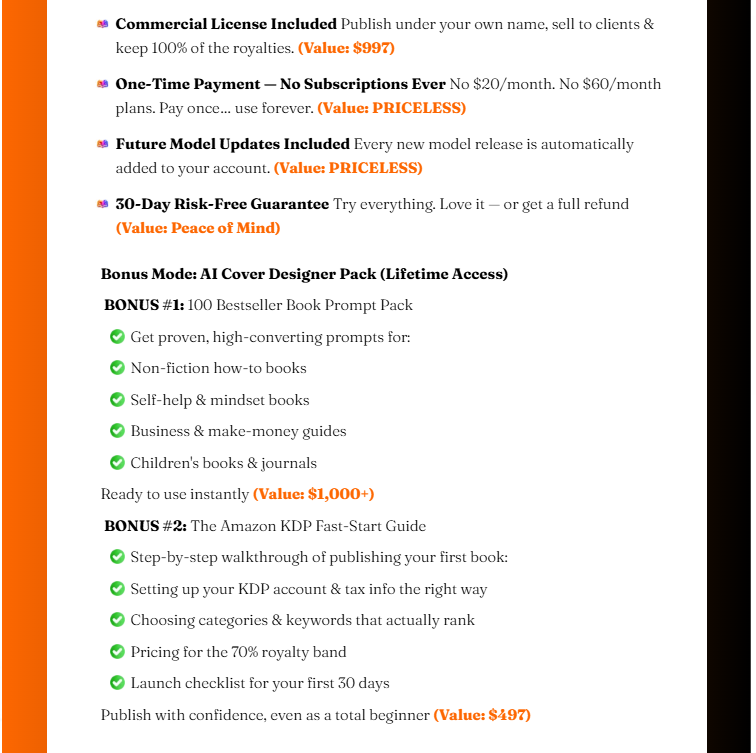
Two coupon codes are listed for this launch:
- LONGEBOOK35 — 35% off
- LONGEBOK5 — $5 off
I cannot confirm which exact offers these codes apply to. I also do not know if they stack. Enter the code at checkout. Check that the discount shows in your cart total before you pay.
AI Long Ebook Creator OTOs
OTO | Price | What It Offers | Who May Need It |
OTO1 – Unlimited | $47 | No limit on books made | High-volume publishers |
OTO2 – DFY | $67 | Vendor writes a book for you | Buyers short on time |
OTO3 – Traffic & Subscriber Booster | $47 | Tools for traffic and list growth | Marketers, not core to ebooks |
OTO4 – Clickbait Thumbnail Generator | $47 | Thumbnail design | YouTube creators, not authors |
OTO5 – Global Edition | $197 | Wider license and reach | Larger operations |
OTO6 – Channel Monetization | $97 | YouTube money-making course | Video creators, not authors |
OTO7 – Viral Success Master Class | $47 | Marketing training | General marketers |
OTO8 – Agency | $97 | Rights to sell to clients | Freelancers, agencies |
OTO9 – Franchise | $47 | Franchise-style business rights | Advanced buyers |
OTO10 – Whitelabel | $197 | Rebrand and resell the tool | Software resellers |
None of these upgrades are needed to use the core tool. Buy only what fits a real need you already have. If a price or bonus looks unclear at checkout, that is common for launch funnels. Still, check it before you pay.
AI Long Ebook Creator KDP Features
Formatting and Book Prep
The tool sets your interior to match five KDP trim sizes. It sets margins and gutter space on its own. It adds page numbers and a clickable table of contents.
Metadata
A metadata file comes with your book. ISBN setup is built in, whether you use Amazon’s free ISBN or your own.
Kindle and Paperback Workflow
You get a Kindle EPUB and a print-ready paperback PDF. Both are said to meet KDP rules, per the vendor’s FAQ.
AI Content Disclosure
Amazon now asks KDP authors to say if a book used AI help. You pick this from a dropdown menu when you upload. The vendor gives a “KDP Fast-Start Guide” to help with this step.
Important: A “KDP-ready” file is not the same as a sure approval. Amazon checks every book its own way. Rules can change. Always check Amazon’s own KDP rules page before you publish. Do this no matter what any outside tool tells you.
AI Long Ebook Creator Export Formats
Here are the export formats I could confirm, based on the product page and FAQ:
- EPUB – for Kindle
- PDF – print-ready, for paperback
- DOCX – an editable Word file
No other export formats showed up in the pages I checked. If you need a different format, check for it before you buy.
AI Long Ebook Creator Pros and Cons
Pros
- Puts writing, cover design, and KDP formatting in one tool
- Supports five KDP trim sizes with auto gutter setup
- Lets you switch between three AI models
- Includes a license to sell books under your name or a pen name
- Runs in the cloud, works on any device, no install
Cons
- No clear front-end price in the pages I checked
- Ten OTOs at checkout, and some do not relate to ebooks
- No finished sample book to judge the writing quality myself
- A “KDP-ready” file does not mean sure Amazon approval
- Long AI-written text still needs human editing for facts and originality
AI Long Ebook Creator vs ChatGPT
Factor | AI Long Ebook Creator | ChatGPT |
Ebook workflow | Built specifically for creating full-length books | General-purpose writing tool |
Outline building | Automatic, book-focused outline creation | You create the structure through prompts |
Cover design | Built-in cover creation with KDP-friendly sizing | Not a dedicated ebook cover tool |
KDP formatting | Helps with trim size, gutter, and table of contents | Formatting generally requires additional work/tools |
Export formats | EPUB, PDF, and DOCX | Primarily generates text; export/formatting needs extra steps |
Ease of use | Guided workflow suitable for beginners | More flexible but requires better prompting |
Flexibility | Focused on ebook and book publishing | Flexible for many types of writing |
Cost | One-time offer plus optional OTOs, according to the vendor | Free plan plus paid plans |
ChatGPT is more flexible and often cheaper for plain writing help. But it will not build a KDP-ready file or design a cover for you. AI Long Ebook Creator trades some of that flexibility for a workflow built just for publishing.
AI Long Ebook Creator Alternatives
Atticus
Best for: Writers who want full control of formatting. Main strength: Strong manual layout tools for ebook and print. Main limit: It does not write your content. You still need a manuscript.
Book Bolt
Best for: Low-content and KDP sellers. Main strength: Templates and keyword tools built for Amazon sellers. Main limit: Less focus on long AI writing.
Reedsy Book Editor
Best for: Authors who want a free, simple formatter. Main strength: Clean, free templates. Main limit: No AI writing. You write and format by hand.
Sudowrite
Best for: Fiction writers who want AI help with story and prose. Main strength: Strong at fiction-style AI writing. Main limit: Not built for KDP formatting or covers.
Canva (for covers only)
Best for: DIY cover design outside a bundled tool. Main strength: Many flexible design templates. Main limit: No book-writing or formatting tools at all.
Who Should Buy AI Long Ebook Creator?
- KDP beginners who do not want to learn formatting by hand
- Self-publishers who want a faster first draft
- Creators who want to add books as a side project
- Freelancers who offer ghostwriting or KDP setup to clients
- Non-fiction authors who want a guided, step-by-step path
Who Should Avoid AI Long Ebook Creator?
Some buyers may do better with another tool. This includes people who:
- Want advanced, custom professional book design
- Expect a fully hands-off process with no editing
- Do not want to check facts or rewrite AI text
- Write fiction and need a strong, personal voice
- Need a sure guarantee of Amazon approval, which no tool can give
Can AI Long Ebook Creator Create KDP-Ready Books?
The tool can make a KDP-formatted file. That means the right trim size, margins, gutter, front matter, and a compliant cover. This is a formatting task. The specs listed match real KDP rules.
That is not the same as a sure KDP approval. Amazon checks content quality, originality, and its own rules apart from formatting. A well-formatted file can still get rejected if the content breaks Amazon’s rules.
Before you publish, read the full book yourself. Check it for facts, originality, and clear writing. Also check that your book follows Amazon’s current rules, including AI-content disclosure. A formatting tool cannot make these calls for you.
Is AI Long Ebook Creator Legit or a Scam?
Based on what I checked, there is no clear proof AI Long Ebook Creator is a scam. The product has a real FAQ page. It lists exact technical details. It states a 30-day refund window. It also has a working demo video link.
Still, some normal buyer care applies. The front-end price did not show up in the pages I checked. The launch page uses common urgency language, like “price goes up soon.” Several OTOs do not relate to the core ebook product. This hints at a reused sales funnel.
None of this, on its own, means it is a scam. Many software sellers use launch pricing and OTO funnels. Still, check the price, refund terms, and the real editor yourself on the vendor’s own checkout and support pages before you buy.
Can You Make Money With AI Long Ebook Creator?
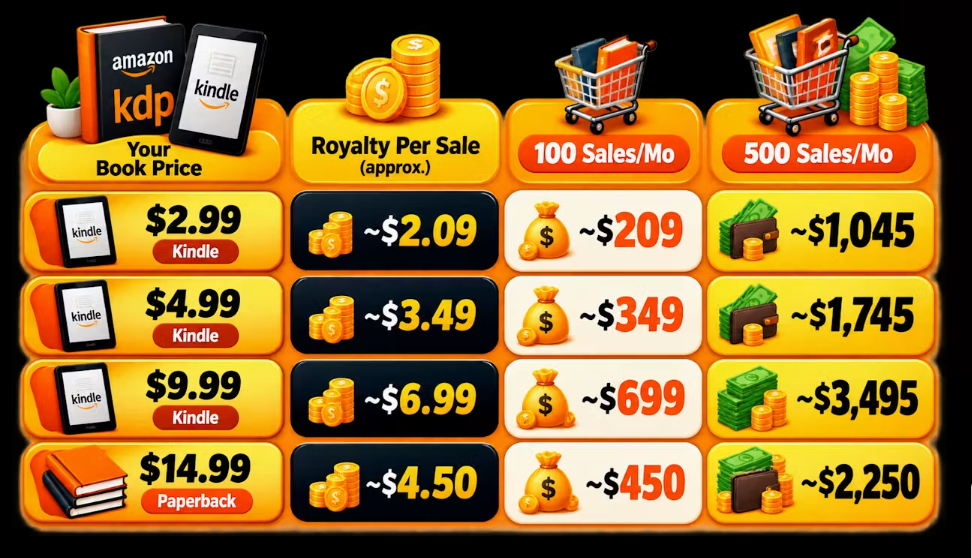
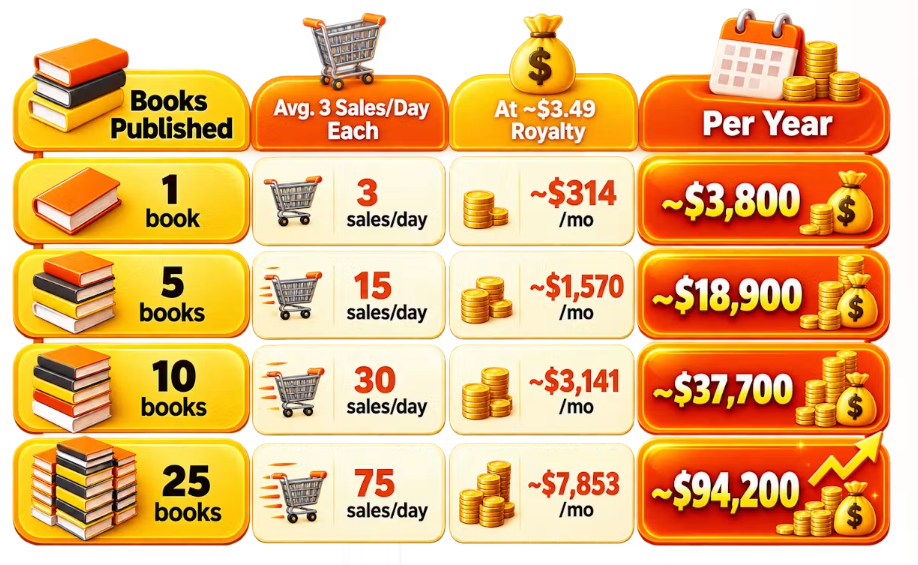
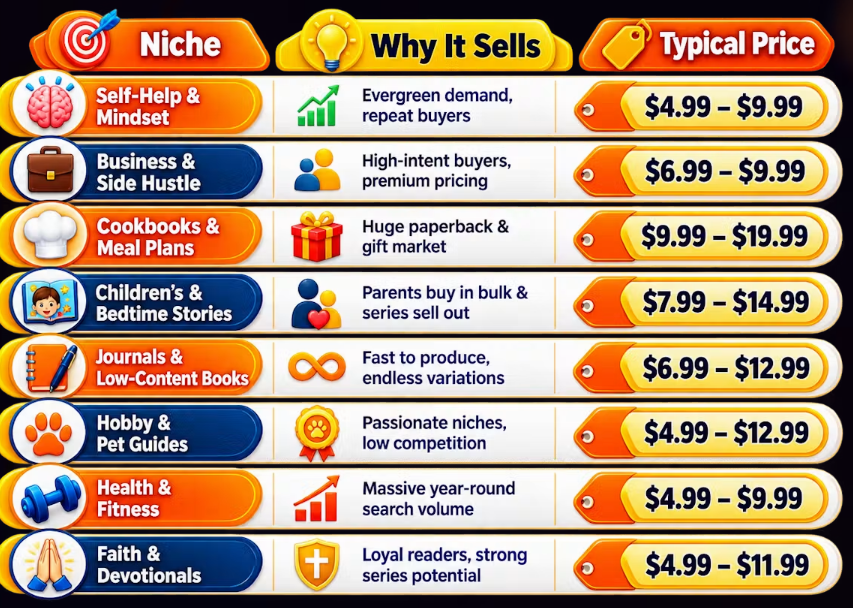
AI Long Ebook Creator does not promise income. No honest review should say it does. Whether a self-published book earns money depends on many things outside the tool:
- Your niche and market demand
- Content quality and how much you edit
- Cover design and how well it fits the genre
- The book title and how well it matches searches
- Keyword and category picks on Amazon
- Your pricing choice
- Your marketing effort
- Reader demand in your category
- How much competition you face
AI Long Ebook Creator may speed up the writing and formatting steps. It cannot pick a winning niche for you. It cannot market the book for you. It cannot promise that anyone buys it.
AI-Generated Content and Amazon KDP
Amazon’s current rules allow AI-written and AI-assisted content on KDP. But authors must say so during upload. You pick this from a dropdown menu.
A few points matter here:
- Human editing is a good idea before you publish any AI draft, for both quality and facts.
- Originality still matters. Amazon can pull content that looks copied or low-effort.
- Copyright for fully AI-written text is still a changing legal area. Check current rules if this matters to you.
- Disclosure rules can change. Always check Amazon’s own KDP content rules page. Do not rely only on a tool’s guide.
AI Long Ebook Creator Refund Policy
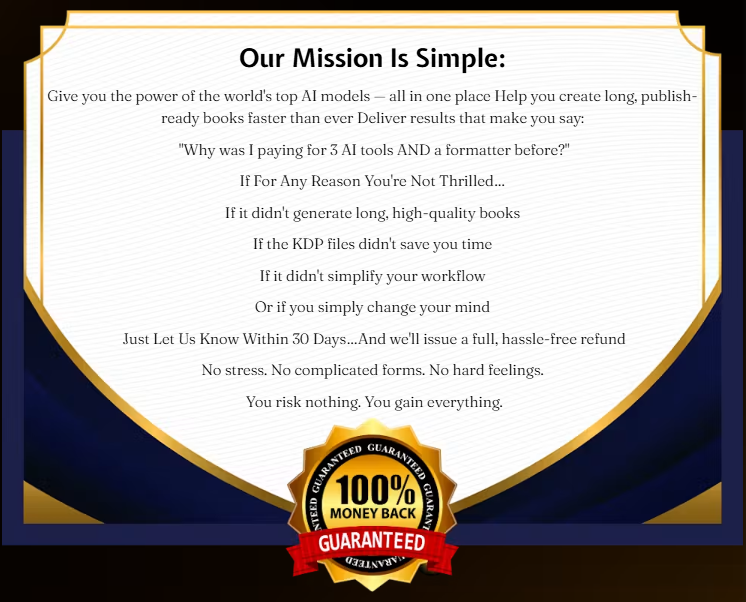
Per the vendor’s FAQ, the product has a 30-day money-back guarantee. You contact support within that window to ask for a refund.
- Refund window: 30 days (per vendor FAQ)
- Conditions: Not fully spelled out in the pages I checked. The FAQ says “no questions asked,” but check the full refund policy page for real terms.
- How to ask: Contact vendor support directly
Always read the full, official refund policy page on the sales site before you buy. FAQ summaries often skip details.
AI Long Ebook Creator FAQ
What is AI Long Ebook Creator?
It is a cloud tool. It builds full ebooks from one prompt, then formats and exports them for Amazon KDP.
How much does AI Long Ebook Creator cost?
The exact front-end price did not show up in the pages I checked. Check the current price on the official checkout page.
Is AI Long Ebook Creator a one-time payment?
The vendor’s FAQ calls the launch price a one-time payment. It also says price and features may change after launch ends.
Does AI Long Ebook Creator work with Amazon KDP?
Yes. It exports a Kindle EPUB. It also exports a print-ready paperback PDF. Both are built to KDP specs, per the vendor.
Can it create long ebooks?
Yes. Long-form writing is the core feature. It covers outlines, chapters, and front and back matter.
What formats can it export?
Confirmed formats are EPUB, PDF, and DOCX.
Is AI Long Ebook Creator legit?
I found no clear proof of a scam in the pages I checked. Normal buyer care still applies, mainly around price and OTOs.
Does it have a refund policy?
Yes. The vendor’s FAQ states a 30-day money-back guarantee. Check the full terms on the official refund page.
What is the AI Long Ebook Creator coupon code?
Two codes are listed: LONGEBOOK35 (35% off) and LONGEBOK5 ($5 off). Check that the code works at checkout.
Is AI Long Ebook Creator worth it?
This AI Long Ebook Creator review found that it depends on your goal. Do you want a guided, all-in-one KDP tool? Do you plan to edit the AI draft? Then it may be worth a try. Do you want sure sales or a hands-off process? Then it is not.
Is AI Long Ebook Creator Worth It?
Let’s weigh both sides.
On the plus side, the feature list is exact, not vague. Trim sizes, cover pixel sizes, and export formats are all clear. The all-in-one workflow could save real time. This beats hiring a writer, a formatter, and a cover designer one by one.
On the other side, the missing front-end price is a real gap for this review. The ten-OTO checkout adds friction. Many of those OTOs do not relate to writing a book at all.
Compared to ChatGPT plus a separate formatting tool, this product may save time for non-tech users. But you trade some flexibility, and you may pay more once OTOs are added.
Are you a KDP beginner who wants a guided path? Do you plan to check and edit the AI’s work? Then this looks like a fair tool to test. Start with the front-end offer alone. Add upsells later, if at all.
Final Verdict
This AI Long Ebook Creator review ends here: it is a focused tool. It helps you go from idea to KDP-ready files without many separate apps. The formatting details are exact. This suggests real work went into the KDP side of the product.
Best for: KDP beginners and self-publishers who want a guided, all-in-one writing and formatting tool.
Main advantage: It puts AI writing, cover design, and KDP formatting in one place.
Main drawback: No clear front-end price in the pages I checked. Also, a large OTO funnel with items that do not fit book creation.
Overall value: Fair, if you start with the core offer alone and treat each upsell as optional.
Final verdict: Worth a hands-on look before you add any upsells. Pair it with your own edit pass before you publish anything to Amazon.