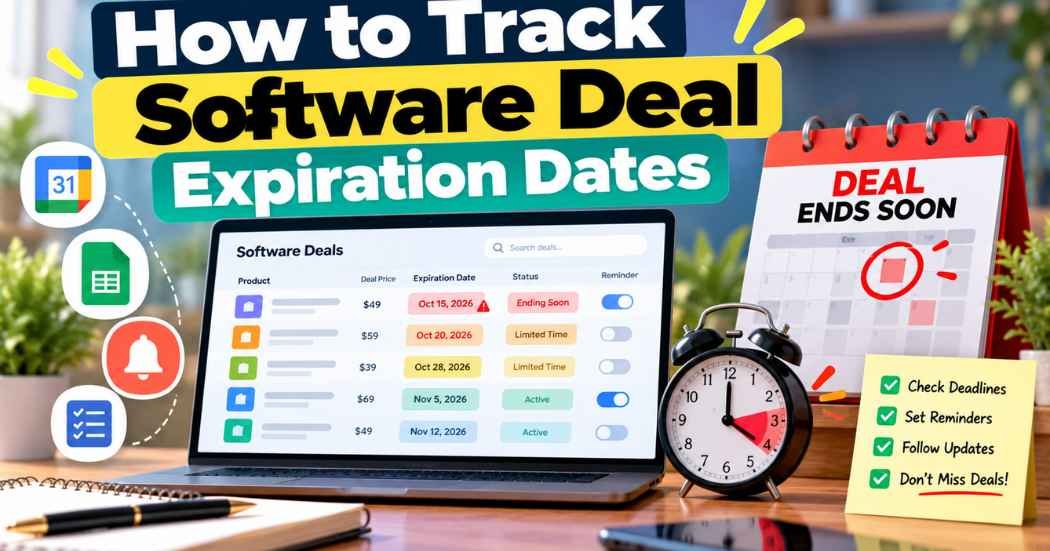
You can track software deal expiration dates in a few easy ways. Check the official deal page, sign up for legitimate newsletters, save the product page, set calendar reminders, and follow official announcements. Then write the date and the link in one simple list.
There is one catch. Not every software deal shows an end date, and a date that does show can change. So treat every deadline as something to check again, not something to trust forever.
This guide covers six tracking steps, how to check AppSumo offers, and how to build a simple tracking list. You will also learn how to spot fake deadlines and what to check before a deal ends.
Why Should You Track Software Deal Expiration Dates?
Software deals ending soon can feel urgent, and they come and go all the time. If you do not keep notes, a deal you wanted can slip away, or you can forget what you already looked at.
Tracking deadlines helps you in a few ways:
- You remember the offers you really want.
- You can compare two or three deals side by side before you pay.
- You can plan your software budget instead of buying on the spot.
- You can check whether a deal was extended or changed.
- You are less likely to rush because of a ticking countdown timer.
That last point matters most. A deadline is a reason to look at a deal soon. It is not a reason to buy it.
If a tool does not fit your work, a great price will not fix that. Missing a deal hurts less than paying for software you never use.
How to Track Software Deal Expiration Dates
Here is a simple process you can follow. You do not need special tools. A browser, a calendar, and a notes file are enough.
1. Check the Official Deal Page
Start with the page where the deal is sold. This is also the best answer to how to find expiring software deals: go to the source. Look for an end date, the offer terms, any promo notice, and who can buy.
Pay attention to how the deadline is written. A clear date and time is a confirmed deadline. A message like “limited-time offer” with no date tells you very little.
Also read the fine print. Some deals are for new customers only, or only for certain plans.
2. Subscribe to Official Deal Newsletters
Many marketplaces and software companies send email updates. These emails may tell you about new offers, promotions, extensions, and product updates.
Do not expect every newsletter to remind you before a deal ends. Some only announce new offers. Read a few emails first, then decide if the list is worth keeping.
Use an email address you check often. If your inbox is crowded, make a folder or label just for deal emails.
3. Save the Deal Page
Bookmark the official offer page. Then keep a short list of the deals you want to think about.
For each deal, write down:
- The product name.
- The official page link.
- The price shown on the page.
- The date you checked.
- Any deadline the page states.
The “date checked” part is easy to skip, but it helps a lot. Prices and deadlines change, and your note shows how old your information is.
4. Set Calendar Reminders
Use any calendar app you already have. When a deal shows a clear end date, add a reminder a few days before it. If you like, add a second reminder on the last day.
Put the product name and the page link in the reminder. That way you can open the page with one tap.
When the reminder pops up, look at the page again. Promo dates can move, so confirm the deadline before you act.
5. Follow Official Announcements
Marketplaces, product websites, and verified company accounts may post offer updates. These posts can tell you about a new deal, a change, or an extension.
Be careful here. Before you act on an announcement, open the official deal page and check that the offer is real. A post on its own is not proof.
6. Use Deal Tracking Tools Carefully
You do not need fancy software deal tracking tools. Bookmarks, a spreadsheet, a task manager, or a reminder app can do the job. If you already use a task app for client work, a list of best productivity tools for freelancers may help you pick one.
Some people also try automated tools that watch web pages or prices. Whether they work depends on the tool and the website. No tool can promise to catch every deal or every end date, so keep your own list as a backup.
How to Track AppSumo Deal Expiration Dates
AppSumo is a well-known marketplace for software deals. Still, you should not assume every offer has a fixed end date. Here is how to check one.
- Open the official deal page. Go to the product page on AppSumo itself, not a copy of it on another site.
- Look for a date or notice. In past support replies, AppSumo has said it usually posts a timer on the product page when a product is about to leave the store. It also said its deals run on Central Time.
- Read the current terms. Check the price, the plan, and the license details shown today.
- Check official announcements. AppSumo support has also pointed buyers to an “Ending Soon” collection. Look on the site to see what it offers now, since pages change.
- Contact support when it is unclear. If you cannot tell when a deal ends, ask AppSumo support instead of guessing.
Keep one thing in mind. AppSumo support has said some deals can sell out of codes before a posted timer reaches zero. Some buyers have also said that a deal ended with no clear warning. So a timer is a helpful clue, but it may not be the full story.
An ended deal can become unavailable, change, or show up later in a different form. You cannot count on a return. To understand what an end can mean for new and existing customers, read what happens when an AppSumo deal ends.
How to Build a Simple Software Deal Tracking System
A tracking system sounds like a big job, but it is not. A spreadsheet or a calendar is enough for most buyers.
Make one row for each deal. Add these details:
- The software or product name.
- The official deal page link.
- The marketplace or seller.
- The price shown.
- The stated end date, if there is one.
- The date you last checked.
- The license and any usage limits.
- Your reminder date.
- Your decision and a few notes.
Fill in what you know and leave the rest blank. An empty “end date” cell is useful information. It tells you the page did not show a date when you looked.
Once a week, or whenever a reminder pops up, open your list. Check the links, update the “date last checked” cell, and cross off anything you decided to skip.
How to Avoid Fake Software Deal Deadlines
Most sellers are honest. Still, some deadlines are not what they seem, and a few simple checks can save you money.
Watch for these warning signs:
- A countdown timer that resets when you reload the page.
- A claim that a deal will “never return” with no proof.
- No clear seller name or license details.
- Social posts that do not link to an official offer.
- Pressure to buy before you can look at the product.
If you see one of these, slow down. Open the official page, read the terms, and look for the deadline from a source you trust. You can also write to the seller and ask.
Do not call a seller dishonest unless you have solid proof. A broken timer can be a simple mistake. Your job is just to check before you pay.
What Should You Check Before a Software Deal Expires?
When the end date is close, go through this list first:
- Does it solve a real problem? Think about a task you do every week.
- What features and integrations do you need? Make sure the ones you use are included.
- What are the account and usage limits? Look for caps on users, projects, or credits.
- What about updates and support? Find out how help is offered.
- What do the license terms say? Read who can use it and for how long.
- What is the refund policy? Check the rules and the time window.
- What is the total cost? Include optional upgrades.
- What are the alternatives? Compare them, including the cost of monthly plans.
If you are weighing a lifetime offer, it also helps to read are lifetime software deals worth it before you decide.
Sometimes you will go through this list and the answer is no. That is fine. Missing a deal is often better than buying software that does not fit.
Best Ways to Get Alerts About Software Deals
There is no single best alert. Most people mix a few. Here is what each option can do for you:
- Official newsletters: These may announce new offers and changes.
- Marketplace notifications: Some marketplaces may offer them. Check what yours has.
- Product launch announcements: These can tell you when a new deal opens.
- Calendar reminders: These are great for confirmed deadlines.
- Bookmarks and a tracking sheet: These keep your own list in one place.
- Legitimate third-party deal newsletters: Some sites share deals they find. Read a few issues before you rely on one.
It helps to know the difference between two kinds of alerts. Some messages tell you about a new offer. Others tell you a confirmed deadline is near. Many software deal notification services and lifetime software deal alerts are only the first kind. Do not assume they will warn you before an offer ends.
Whatever you use, double-check the deadline on the official page. That is how to monitor lifetime software deals without relying on any single service.
Frequently Asked Questions
How do I track software deal expiration dates?
Check the official deal page for an end date and note it down. Add the product link and the date you checked to a simple list, then set a calendar reminder a few days before the deadline. Confirm the date again when the reminder pops up.
How can I tell when an AppSumo deal ends?
Open the product page on AppSumo and look for a timer or a date notice. In past support replies, AppSumo has said it usually posts a timer when a product is about to leave the store. If you still cannot tell, contact AppSumo support.
Do all lifetime software deals have expiration dates?
No. Some show a clear end date, and some do not. If the page does not show one, check again later or ask the seller. To learn the basics, see what is a lifetime software deal.
Can a software deal deadline be extended?
It can. Sellers and marketplaces sometimes change dates, but nothing guarantees it. Do not count on an extension. Check the official page or announcements for any update.
How can I get alerts for lifetime software deals?
Sign up for official newsletters and turn on any notifications your marketplace offers. You can also follow trusted deal newsletters and use calendar reminders. Remember that many alerts tell you about new offers, not about end dates.
Can expired software deals return?
Sometimes a deal may come back or change, but no one can promise it. Do not buy or skip a deal because of a rumor that it will return. Look to the seller or marketplace for real news.
Are software deal countdown timers always accurate?
Not always. A timer can reset, end early, or be wrong. Some deals can also sell out before the timer hits zero. Use the timer as a clue and check the official terms.
What is the easiest way to organize software deal deadlines?
A simple spreadsheet plus calendar reminders works well for most people. Make a row for each deal and add the link, price, end date, and the date you checked. Update it once a week.
Final Thoughts
The most reliable way to learn how to track software deal expiration dates is to mix a few simple habits. Check the official deal page, read newsletters from sellers you trust, set calendar reminders, and keep a short tracking list.
Always confirm a deadline before you act, and read the license terms before you pay. A good deal is only good if the software fits your needs.
Want to keep exploring? Browse the guide to the best lifetime software deals and take your time comparing your options.