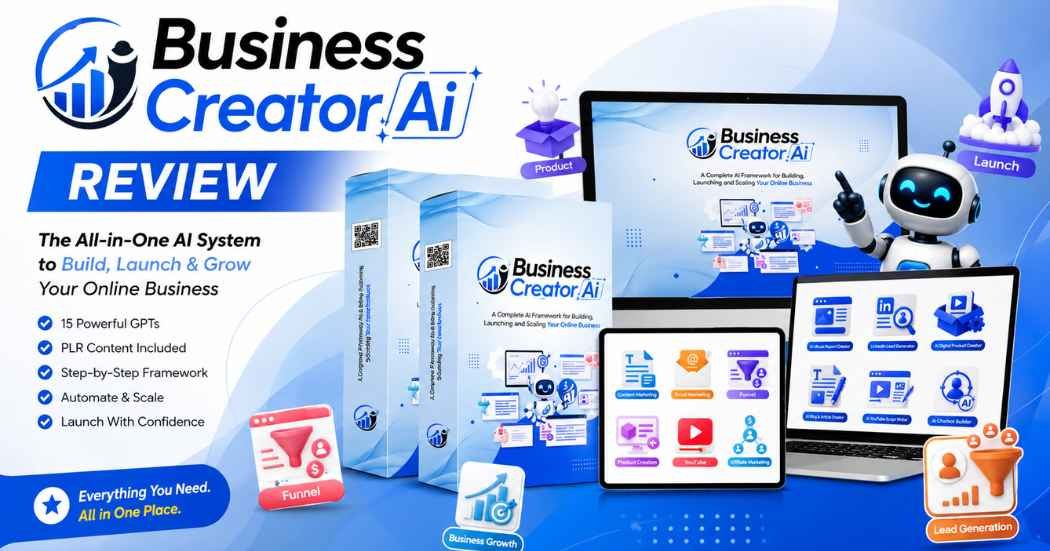
You’ve probably seen a dozen “AI prompt bundles” that promise to build your whole business for you. Business Creator AI is the newest one making the rounds. This Business Creator AI review looks at what it actually is and what you get. It’s based only on what I can verify from the sales page and screenshots.
What Is Business Creator AI?
Business Creator AI is a set of 15 pre-built AI GPTs sold with Private Label Rights (PLR). Each GPT handles one specific task. One writes landing pages. Another drafts email sequences. Another builds customer avatars. It’s not one big do-everything chatbot.
The problem it solves is a common one for beginners. You open ChatGPT with a blank screen and no idea what to type. Instead of building your own prompts, you get a ready-made set. It’s built around the real stages of launching a business: idea, product, audience, funnel, content, and launch.
This is a PLR prompt pack, not a standalone piece of software. You won’t log into a private dashboard running its own AI engine. You’re getting structured prompts meant to be used inside a tool like ChatGPT. The sales page doesn’t name a specific company or developer, so I can’t confirm who’s behind it beyond the product itself.
What sets it apart from a random prompt list, at least on paper, is the grouping. The 15 tools sit in nine categories. Each one ties to a real business task: leads, email, funnels, product creation, content, YouTube, affiliate marketing, launch planning, and customer research.

How Does Business Creator AI Work?
Based on the sales page, here’s how a buyer would move through the system:
- Get instant access after checkout and open the GPT files.
- Pick the GPT that matches your current task — say, the Digital Product Creator if you’re starting an eBook.
- Feed it your niche or idea. It walks you through its prompt sequence to produce a first draft.
- Review and edit the output. Nothing on the page claims these drafts are ready to publish as-is.
- Move to the next GPT as your project grows — avatar, then landing page, then emails, then content, then launch plan.
I can’t confirm which AI model runs behind these GPTs. I also can’t confirm whether you need a paid ChatGPT account, or how the files get delivered. Check this before buying — it could mean extra costs beyond the sticker price.
What You Get With Business Creator AI
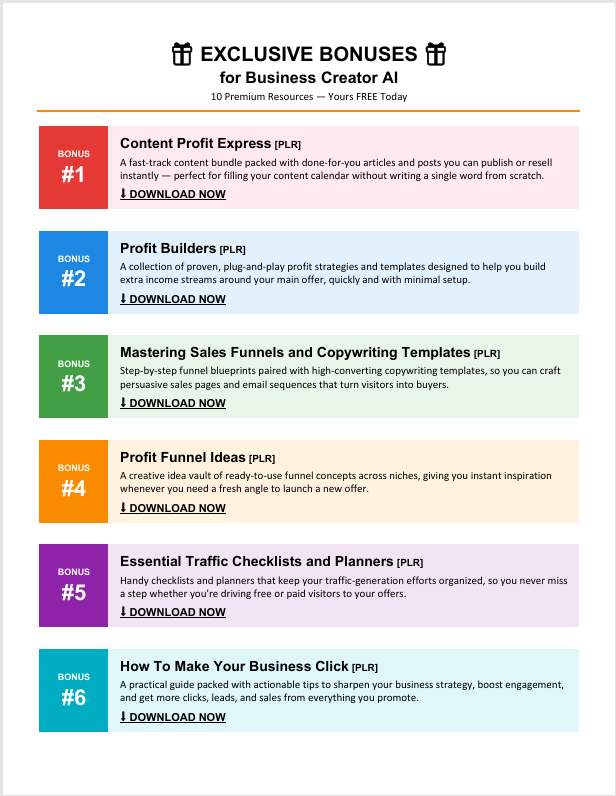
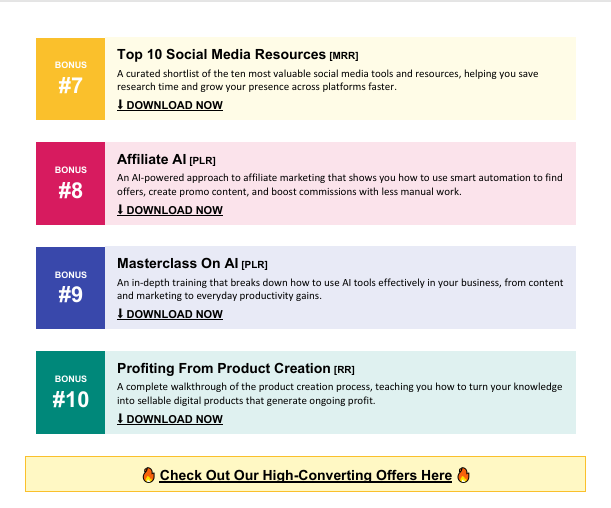
This section of the Business Creator AI review covers only what’s confirmed on the sales page:
- 15 AI Business GPTs, one for each function listed further down.
- Commercial PLR rights — the page says you “keep all your returns,” which suggests resale is allowed. The exact license terms aren’t spelled out on the page itself.
- Instant delivery, with no stated wait time.
- A 30-day money-back policy, with no listed exceptions.
The page also shows a WarriorPlus sales dashboard as proof the creators used this system themselves. I’ll cover what that screenshot really shows in Section 9.
Key Features
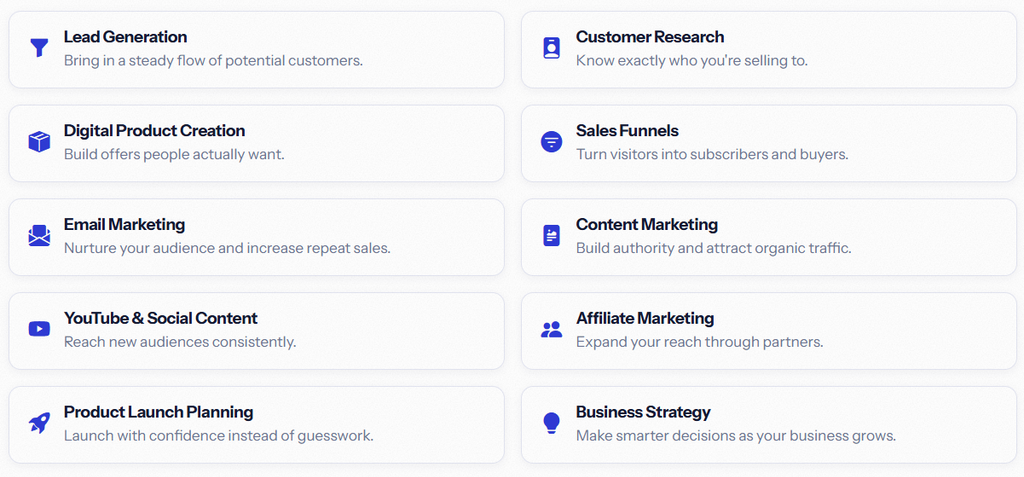
- Task-specific GPTs, not one general chatbot. Each tool is scoped to a single job, which tends to produce more usable first drafts than one open-ended prompt.
- Coverage across the whole business lifecycle. From leads to launch, the set is broad enough that most solo sellers won’t need to hunt for a missing piece.
- Reusable across projects. The Landing Page Creator works the same for your third launch as your first.
- PLR licensing. If the commercial rights hold up, this is meant for client work and resale, not just personal use — useful for freelancers and agencies.
None of this is groundbreaking. Prompt-based GPT tools aren’t new. The real value here is the organization, not some new AI capability.
AI Business Creation Tools
This part of the Business Creator AI review breaks the 15 GPTs down by what they actually do:
Lead Generation Planner, LinkedIn Lead Generator, Prospect Research Assistant. These find and organize potential customers. A freelancer chasing new clients would get more use here than an established business with steady lead flow.
Welcome Sequence Builder, Promotional Email Creator. Drafts for onboarding subscribers and running promos. Still needs editing to match your brand voice.
Landing Page Creator, Conversion Optimization Advisor. Sales page copy and funnel suggestions. A good starting point for non-copywriters. Won’t replace a page built and tested by a specialist.
Digital Product Creator, eBook Creator. Turns an idea into a structured outline. This is likely the most direct fit for the “build fast” pitch, since a finished product is what most buyers are actually after.
Blog Article Creator, Viral Hook Generator. Content and headlines for organic traffic. Helpful for volume, but AI blog drafts usually need a real editing pass so they don’t read as generic.
YouTube Script Writer. Structured video scripts. Useful if you struggle to outline; less useful if you already have a process that works.
Affiliate Review Writer. Drafts review-style content — the same type of tool used to write this article. A good reminder that AI-assisted reviews still need a human eye and clear disclosure.
Product Launch Planner. Organizes pre-launch, launch day, and follow-up steps. It won’t run your ads or manage an affiliate contest for you.
Customer Avatar Builder. Builds a target customer profile — a standard marketing exercise, automated here.
I can’t confirm exact output quality for any single GPT without hands-on testing. Treat these as claims from the product page, not confirmed results.
PLR Content & Rights
PLR stands for Private Label Rights. It’s a license that usually lets you use, edit, and often resell content as your own, within whatever terms the seller sets.
The sales page says the product includes “Commercial PLR Rights.” It also tells buyers to “keep all your returns.” That implies you can sell what you build without paying royalties back. But the page doesn’t publish a full license agreement. So it doesn’t confirm:
- Whether you can resell the GPTs themselves, or only content made with them
- Whether reselling is restricted to specific platforms
- Whether you must credit the original creator
- Whether there’s a cap on how many clients or copies you can use it with
Because none of that is spelled out here, read the actual license file in the download before reselling anything or using it for client work. PLR terms vary a lot between sellers.
Templates & Resources
The confirmed resources are the 15 GPTs themselves, working as prompt templates:
- Lead generation templates — for planning outreach and prospect research.
- Email templates — welcome series and promo email structures.
- Landing page templates — sales page copy and funnel suggestions.
- Product creation templates — frameworks for turning an idea into an eBook or product outline.
- Content templates — blog structures, headline formats, and YouTube outlines.
- Launch template — a pre-launch to post-launch checklist.
The page doesn’t mention separate design files, graphics, or ready HTML pages. Everything appears to be prompt-based. If you expected Canva templates or built pages, confirm this first.
Step-by-Step Workflow
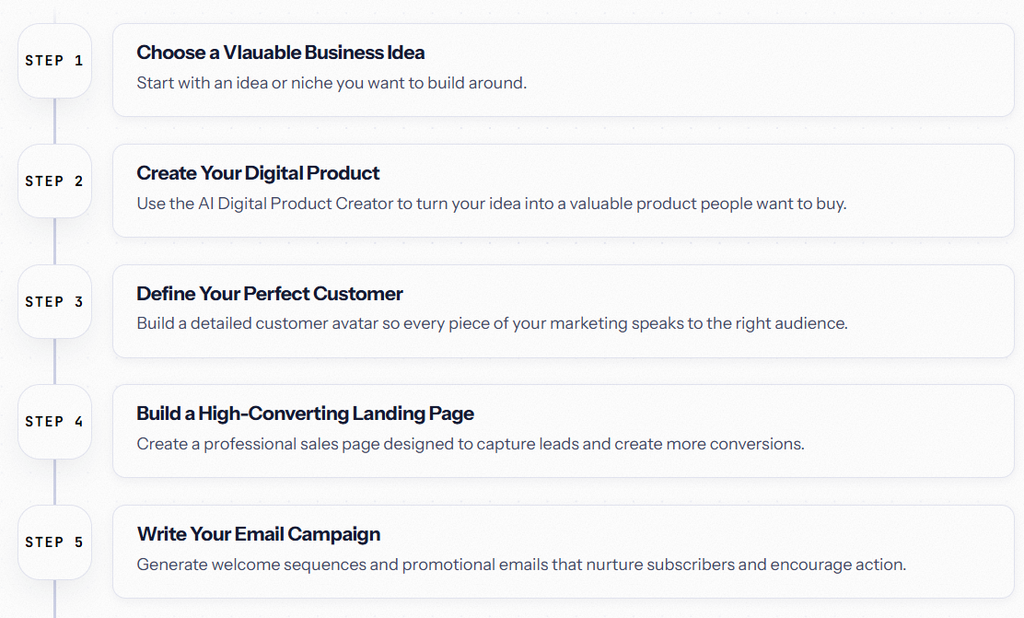
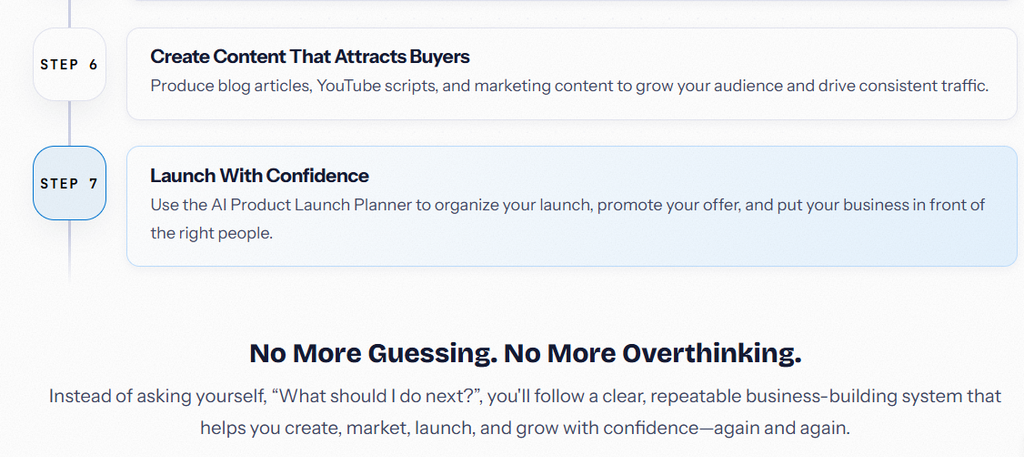
A practical run-through from purchase to first output:
- Buy and get instant access to the GPT files.
- Start with the Customer Avatar Builder, since most other tools work better once you know your audience.
- Move to the Digital Product Creator or eBook Creator to shape your offer.
- Use the Landing Page Creator to draft a sales page.
- Run the Welcome Sequence Builder and Promotional Email Creator for your list.
- Generate supporting content with the Blog Article Creator, Viral Hook Generator, and YouTube Script Writer.
- Use the Product Launch Planner to map your release timeline.
- Edit everything before you publish it.
This order makes sense based on dependency — you need an audience defined before you write a landing page. But it’s my read of a sensible sequence, not something the sales page spells out.
Real Dashboard & Screenshot Analysis
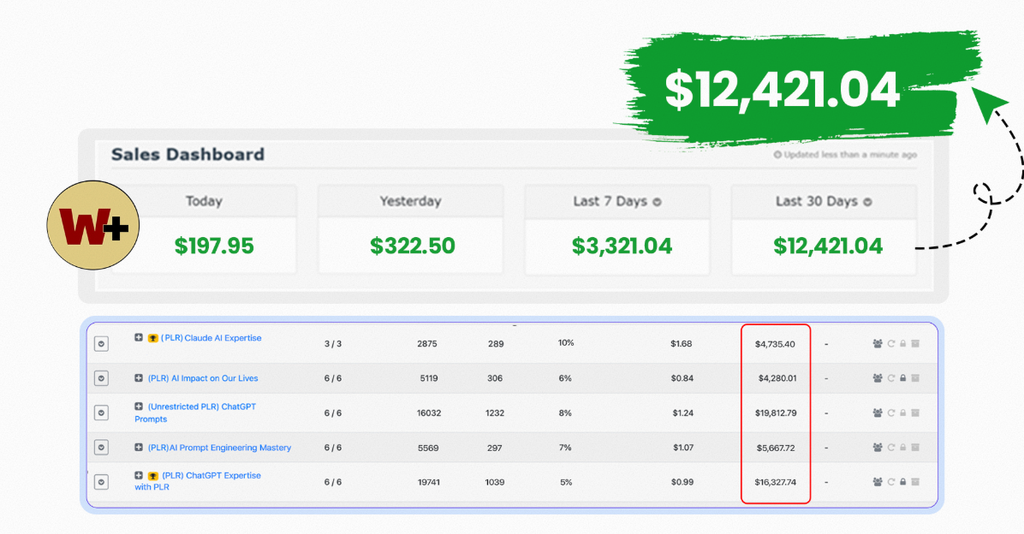
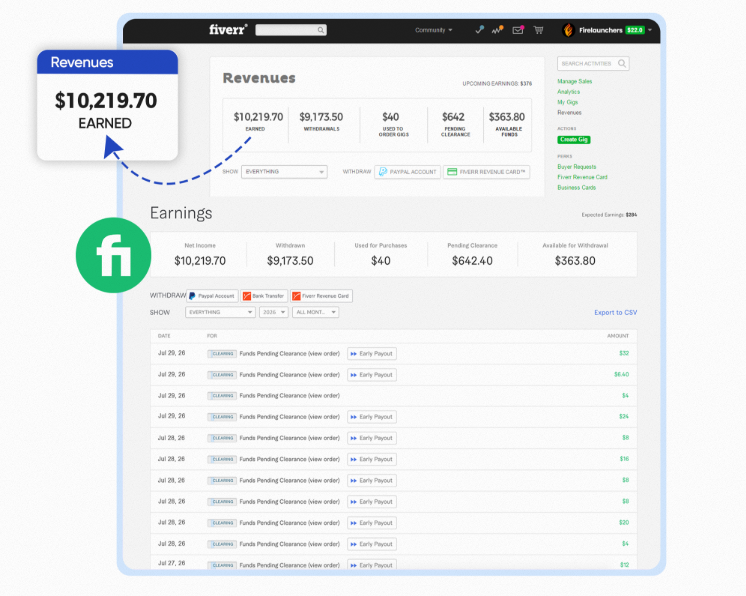
This part of the Business Creator AI review looks closely at the only screenshot on the sales page — a WarriorPlus vendor dashboard, offered as proof the creators launched real products.
What’s visible: A WarriorPlus dashboard with sales figures from past launches. WarriorPlus is a real, well-known marketplace for digital and PLR products, so the platform itself checks out.
What can reasonably be inferred: The creators have launched other products on WarriorPlus before, and are using past numbers as evidence their launch process — the one packaged into this GPT bundle — has worked for them.
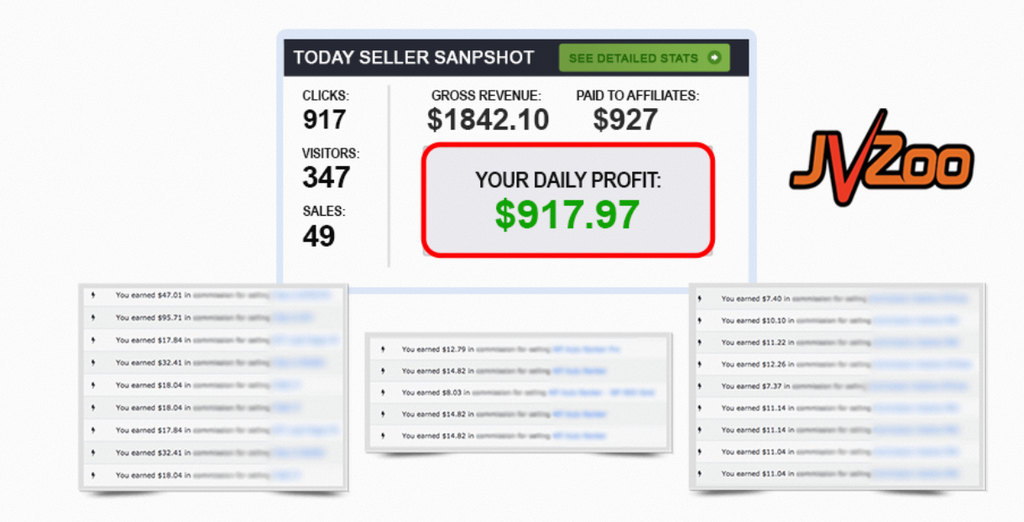
What can’t be confirmed: The exact dollar figures, whether those sales came from this exact workflow, how much was refunded afterward, or whether that result is typical rather than a best case. A vendor’s own past sales say nothing about what a new buyer using the same GPTs will earn. No earnings claim should be read into a dashboard screenshot.
No screenshot of the actual GPT interface or dashboard was provided. So I can’t speak to how the tools look or feel to use day to day.
Business Creator AI Use Cases
- Digital product creation — outlining and drafting an eBook instead of starting from nothing.
- Content creation — blog and video script drafts to keep a publishing schedule moving.
- Affiliate marketing — a starting draft for review and promo copy, which is what the Affiliate Review Writer is built for.
- Freelance service delivery — using PLR rights, if confirmed favorable, to offer landing page or email copy services faster.
- Agency content production — faster first drafts across client accounts, similar to how the included testimonial describes it.
- Small-business lead generation — using the prospecting tools to organize outreach.
None of these come with an income promise from this review or from the sales page itself.
Who Is Business Creator AI For?
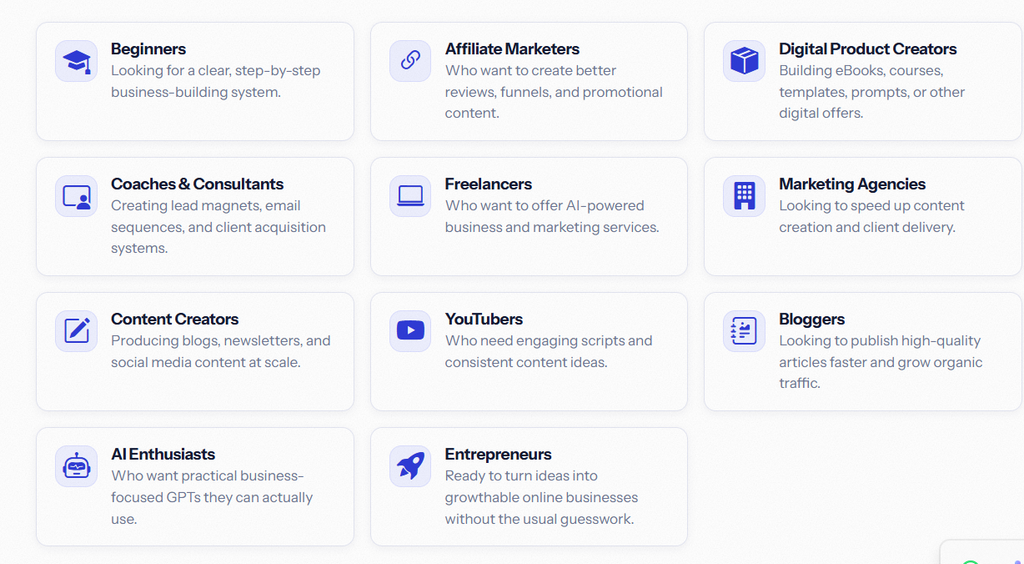
- Beginners who want a starting sequence instead of an empty ChatGPT window.
- Affiliate marketers who want a faster first draft of review content, as long as they still edit and fact-check before publishing.
- Freelancers and consultants who want faster landing pages, emails, or lead magnets for clients.
- Small agencies producing first drafts across several accounts.
- Content creators and YouTubers who need consistent help outlining videos and posts.
Who Should Avoid It?
- Anyone expecting a hands-off business. This is a set of prompts, not an automated system that runs a business for you.
- Users who won’t edit AI output. Publishing GPT drafts unedited usually reads as generic and can hurt trust with readers.
- People who need real software — an email platform, page builder, or CRM. This generates copy and plans, not the tools to run them.
- Buyers treating the sales dashboard as a guarantee. That screenshot shows one vendor’s past sales, not a forecast for new buyers.
Pros and Cons
Here’s the balanced pros-and-cons breakdown this Business Creator AI review is built around:
Pros
- Covers most stages of building a digital business in one bundle
- Task-specific GPTs give more focused drafts than one general prompt
- Reusable across future products, not a one-time tool
- Commercial PLR angle appeals to freelancers and agencies, if terms hold up
- Stated 30-day refund policy lowers the risk of trying it
Cons
- No confirmed price in the material reviewed — check the sales page
- Exact PLR terms (resale limits, credit rules) aren’t detailed on the page
- No dashboard or interface screenshots to confirm the actual user experience
- Sales dashboard screenshot shows past vendor sales, not buyer results
- AI drafts still need real editing before publishing
Limitations
- Output depends on your input. A vague idea produces a vague draft. You still need a real concept to start with.
- Editing isn’t optional. Nothing suggests these outputs are ready to publish as-is.
- License details aren’t public upfront. Check the actual PLR terms after purchase before reselling anything.
- No confirmed pricing tiers in the material reviewed. Compare cost against alternatives on the live page.
- Possible added cost. If the GPTs need a specific paid AI platform to run, that’s not mentioned here.
Business Creator AI Pricing
Business Creator AI is currently offered at a front-end price of $11.95. Pricing may change, so check the official offer page for the latest price.
Refund Policy
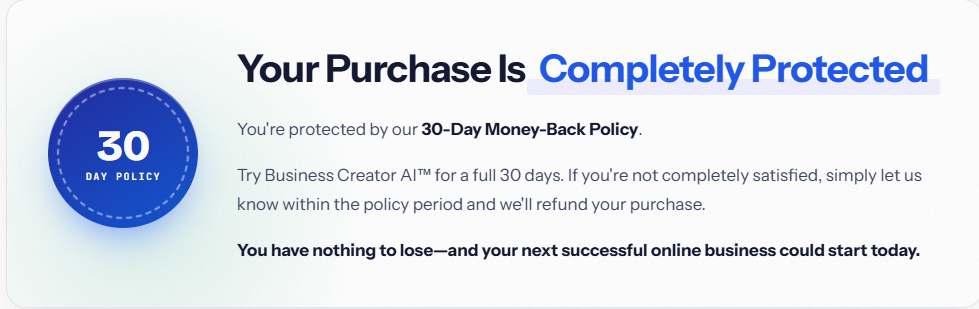
Business Creator AI carries a stated 30-day money-back policy. Buyers who aren’t satisfied can request a refund within that window, according to the sales page.
The page doesn’t spell out the exact refund process — support email, ticket system, or a marketplace-handled request through WarriorPlus. Check your purchase receipt for the actual steps rather than assuming one. No other conditions are listed.
Business Creator AI vs Alternatives
To make this Business Creator AI review more useful for comparison shopping: no named competitors appear on the sales page, so this table compares general categories, not confirmed products.
Factor | Business Creator AI | Generic ChatGPT Prompting | Dedicated AI Writing SaaS |
Main Purpose | Structured, task-specific GPT bundle | Open-ended, self-written prompts | Purpose-built software with its own interface |
AI Capabilities | Pre-built prompt sequences | Depends on your own prompt skill | Usually its own AI model and editor |
Content/PLR Options | Commercial PLR included (terms to confirm) | None | Varies; often no resale rights |
Ease of Use | Moderate — needs setup and editing | Low barrier but needs prompt skill | Usually the easiest, guided interface |
Pricing | One-time launch price (unconfirmed) | Free if you already use ChatGPT | Usually a recurring subscription |
Best For | Buyers wanting structure plus resale rights | Users comfortable writing their own prompts | Users wanting a polished, ongoing tool |
Someone who already writes strong prompts and doesn’t need PLR rights may not gain much from a paid bundle. Someone who wants a defined workflow and the option to resell derived content will likely get more from something built for exactly that.
Is Business Creator AI Beginner-Friendly?
On paper, the workflow looks approachable for beginners. The “pick a GPT for your task” structure means you don’t need prompt-writing skill yourself. That’s a real edge over sitting down with a blank ChatGPT window.
But beginner-friendly isn’t the same as hands-off. You still need to understand basic terms like landing page or email sequence, and you still need to edit and personalize the output. Someone with zero marketing background may need outside learning alongside this.
No screenshots of the actual GPT interface were provided, so I can’t confirm how simple or fiddly the tools are to run day to day.
Is Business Creator AI Worth It?
This is the question every Business Creator AI review is really answering. Value here comes down to two things: whether the PLR rights are as broad as implied, and whether you’ll actually use most of the 15 tools rather than just one or two.
For a freelancer or small agency already doing landing pages, email copy, or content for clients, a real commercial license on a structured GPT set could save real drafting time — assuming the license holds up under a closer read.
For a total beginner with no niche or product idea yet, the tools help structure the process. They won’t replace the strategic work — picking a real niche, checking demand, building an audience — that actually determines whether a business works.
Because pricing isn’t confirmed here, the final call depends heavily on the launch price versus similar PLR bundles elsewhere. At an unconfirmed price, I can’t give a blanket yes or no. Check the live price and the license file, then weigh that against how many of the 15 tools you’d actually use.
Final Verdict
Wrapping up this Business Creator AI review: the strongest case for Business Creator AI is its structure. Instead of a random prompt dump, it’s built around the real stages of launching a digital business. The commercial PLR angle, if the terms hold up, makes it more useful to freelancers and agencies than a personal-use-only tool would be.
The biggest limitation is what’s missing from the page. There’s no confirmed price, no detailed license terms, and no interface screenshots to judge the real user experience. That’s not automatically a red flag — plenty of legitimate launch offers keep pricing off the page until checkout. But it does mean part of the buying decision happens after you click through, not before.
This fits people who already have some marketing know-how and want to move faster, not people looking for a business built for them. If you want a fully automated, no-editing system, look elsewhere. If you already write decent prompts yourself, you may not gain much beyond convenience.
Overall, this is a reasonably organized bundle with a fair premise. Just verify the price and the actual PLR license before you buy — neither is confirmed in the material this Business Creator AI review is based on.
Frequently Asked Questions
What is Business Creator AI?
A bundle of 15 task-specific AI GPTs, sold with commercial PLR rights. It covers leads, email, funnels, product creation, content, YouTube, affiliate marketing, launch planning, and customer research.
Is Business Creator AI beginner-friendly?
The structure is approachable since each GPT handles one task. But you still need basic marketing knowledge and must edit the output yourself.
What can you create with Business Creator AI?
Digital product outlines, landing page copy, email sequences, blog posts, YouTube scripts, affiliate review content, and a launch plan.
Does Business Creator AI include PLR content?
Yes. The sales page states commercial PLR rights are included, though the detailed license terms aren’t published and should be checked after purchase.
Can Business Creator AI help with digital products?
Yes — the Digital Product Creator and eBook Creator GPTs are built for that.
Is Business Creator AI a subscription? The page describes a launch price, not a recurring charge, but no exact pricing structure is confirmed here. Verify on the official page.
Does Business Creator AI offer a refund? Yes, a 30-day money-back policy is stated on the sales page.
Who should use Business Creator AI?
Freelancers, agencies, affiliate marketers, and content creators who want faster first drafts and plan to edit before publishing.
Who should avoid Business Creator AI?
Anyone expecting a fully automated business with no editing, or anyone who needs dedicated software instead of prompt-based content.
Is Business Creator AI worth buying?
It depends on the confirmed price and the actual PLR license terms, neither of which appears on the page reviewed here. Check both before deciding — that’s the core takeaway of this Business Creator AI review.