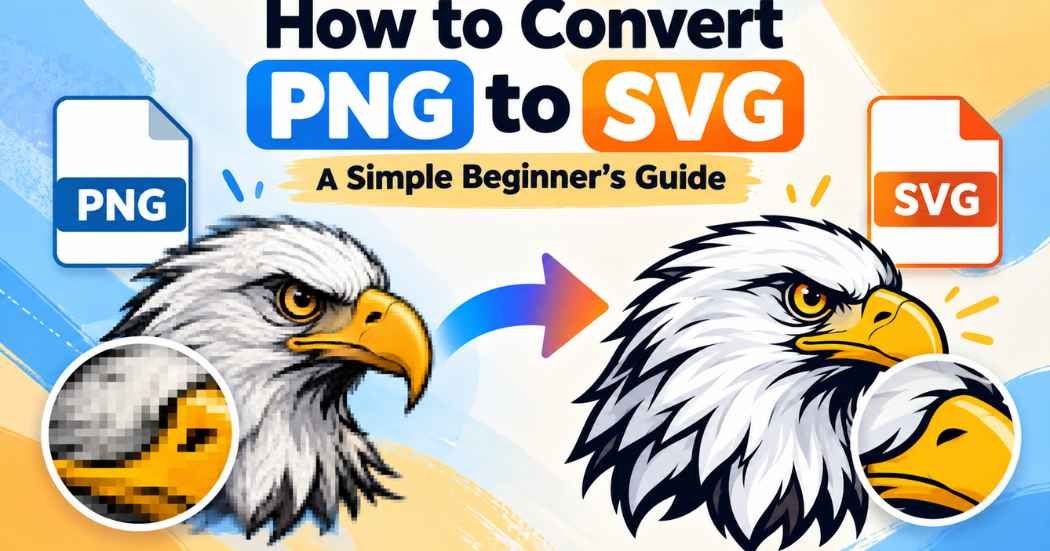
Knowing how to convert PNG to SVG helps when your image turns blurry the moment you make it bigger.
A PNG is built from tiny dots, while an SVG is built from shapes and lines, so converting means tracing those dots into shapes.
This guide covers online tools, Inkscape, and T-shirt tips, plus what Canva and Kittl can and cannot do.
What Is a PNG File?
PNG stands for Portable Network Graphics. It is a raster image. That means the picture is a grid of tiny colored squares called pixels. Each pixel holds one color, and all the pixels together form the image.
PNG files can have transparent backgrounds. That is why many logos, stickers, and web graphics come as PNG files. People also use PNG for screenshots and for artwork they plan to print.
There is one big catch. A PNG has a fixed number of pixels. When you enlarge it, the software has to stretch those pixels. The edges get soft, fuzzy, or blocky.
What Is an SVG File?
SVG stands for Scalable Vector Graphics. Instead of pixels, an SVG stores shapes, lines, and curves. These shapes are called paths. The file holds instructions for drawing them.
Because the file holds instructions, the shapes are redrawn at any size. A tiny icon and a huge banner both stay sharp. This is why SVG vector graphics are popular for logos, icons, simple illustrations, and cutting-machine designs.
Be careful, though. Some SVG files are not true vector art. A file can end in .svg and still hold a PNG inside it, like a photo in a frame. That kind of file still gets blurry when you enlarge it. Only real paths stay sharp.
PNG vs SVG: What Is the Difference?
Here is a simple PNG vs SVG comparison.
Feature | PNG | SVG |
Image structure | Grid of pixels | Shapes and paths |
Scalability | Fixed size | Scales to any size |
Quality when enlarged | Gets blurry | Stays sharp (if it has real paths) |
Transparency | Supported | Supported |
File size | Depends on size and detail | Depends on the number of paths |
Editing flexibility | Hard to edit shapes and colors | Shapes and colors are easy to edit |
Common uses | Photos, screenshots, web graphics | Logos, icons, simple illustrations |
T-shirt design | Often accepted by print providers | Useful when the provider accepts vectors |
Cutting machines | Usually needs tracing first | Commonly used for cut files |
File size and quality depend on the image and on how you convert it. A simple logo may make a tiny SVG. A detailed photo may make a huge one.
Can You Convert PNG to SVG?
Yes, but not by renaming the file. A PNG is a raster format, and an SVG is a vector format. Changing .png to .svg does not change what is inside.
Real conversion uses tracing. A tracing tool looks at the visible shapes in your PNG and draws paths around them. This is called raster to vector conversion.
The result depends on three things: how complex the image is, how much contrast it has, and which tracing settings you pick. A bold, simple logo usually traces well. A soft photo usually does not.
Also, some tools only place your PNG inside an SVG container. That does not create true vector artwork. The picture is still made of pixels.
How to Convert PNG to SVG Online
An online PNG to SVG converter is the fastest way to start. Many tools offer a free PNG to SVG converter option, though limits vary. Menu names and settings differ from tool to tool, so use these steps as a general guide.
- Choose a reputable PNG-to-SVG conversion tool.
- Open the tool’s official website.
- Upload your PNG file.
- Pick the tracing or conversion settings that fit your image.
- Check the preview.
- Adjust colors, detail, or background settings if the tool offers them.
- Convert the image.
- Download the SVG file.
- Open the file in a vector editor and look it over.
Read the privacy policy before you upload private or unreleased artwork. Some tools may store uploaded files. You can learn how a tool handles your files in its policy.
How to Convert PNG to SVG Using Inkscape
Inkscape is a free vector graphics editor. It gives you more control than most online tools. The Inkscape PNG to SVG method uses a feature called Trace Bitmap.
- Install and open Inkscape.
- Import your PNG with File, then Import.
- Click the image to select it.
- Open Path, then Trace Bitmap. The shortcut is Shift + Alt + B.
- Choose a tracing mode. Brightness cutoff works well for dark shapes on a light background.
- Look at the live preview.
- Click Apply (some versions say OK).
- Drag the new vector shape aside. If the original PNG stays behind, the trace is a separate object.
- Delete the original PNG if you no longer need it.
- Check the paths and colors.
- Save the file with File, then Save As, and pick an SVG format.
The official Inkscape manual says tracing works best on dark silhouettes against a bright background. It also says the color option makes one object for each color, which can be hard for beginners to edit. And it warns that you should not expect a 100 percent faithful copy of your picture.
Menu names can change between versions. If a menu looks different, check the current Inkscape documentation.
How to Convert PNG to SVG for T-Shirt Design
If you want to convert PNG to SVG for T-shirt design, start with clean artwork. Tracing tools work best when the shapes are clear.
- Use high contrast. Dark shapes on a light background trace more cleanly.
- Keep the background transparent or easy to remove. Delete any leftover background shapes after tracing.
- Choose simple designs. Bold text and simple shapes trace better than soft gradients.
- Clean rough paths. Zoom in and look for bumps, gaps, and stray dots.
- Check small details. Thin lines and tiny text may break up or vanish.
- Check your print provider’s rules. Look at the accepted file types, size, and resolution.
SVG helps when your provider or design tool supports vector uploads. Some print-on-demand platforms only take PNG or other formats. Do not assume every marketplace accepts SVG. Read the upload rules first.
Can Canva or Kittl Convert PNG to SVG?
It depends on the platform, its current features, and your plan. Always check the official help pages before you pay for anything.
Canva
Canva’s help pages say you can download a design as an SVG. They also say transparent PNG and SVG downloads are available on certain paid plans, such as Canva Pro. Plan details can change, so check Canva’s current help page.
Exporting a design as SVG is not the same as tracing an uploaded PNG. If you upload a PNG and then download the design as an SVG, the PNG may still be a picture inside the file. Canva’s export option does not turn a raster image into editable paths on its own. If you need tracing, check Canva’s current documentation or use a vector editor.
Kittl
Kittl’s website lists a PNG-to-SVG tool. It describes a Vectorize button and a choice between black and white or color results. It says you can download the SVG or open it in the Kittl editor.
Exporting a vector design is different from tracing an uploaded image. Features, limits, and plans can change, so check Kittl’s current official pages. Then inspect the result yourself before you rely on it.
If a platform does not offer tracing, you may need a dedicated vector editor or a tracing tool.
Best PNG to SVG Conversion Methods
Each method has trade-offs. Use this table to compare them.
Method | Ease of use | Cost | Control | Best image types | Main limits |
Online tools | Easy | Often free to try, with limits that vary | Low to medium | Simple logos, icons, flat art | Fewer settings, privacy concerns |
Inkscape | Medium | Free | High | Logos, silhouettes, line art | Takes time to learn |
Professional vector software | Medium to hard | Usually paid | High | Logos, detailed artwork | Cost and learning curve |
Manual tracing | Hard | Depends on the software | Highest | Logos, lettering, fine details | Slow, needs skill |
Professional software, such as Adobe Illustrator or CorelDRAW, usually costs money. Check the current price on each company’s website.
Tips for Getting Better SVG Results
- Start with a clear, high-resolution PNG. More pixels give the tracer more to work with.
- Use strong contrast between the artwork and the background.
- Remove extra background areas before you trace.
- Choose simple artwork when you can.
- Reduce noise and tiny details. Specks can turn into hundreds of extra paths.
- Check lettering and thin lines after tracing.
- Inspect the final paths before you use the file.
- Keep a copy of your original PNG.
- Make sure you have the right to use the artwork. Converting a file does not remove copyright. You still need permission to use and sell the design.
Common PNG to SVG Conversion Problems
Jagged or rough edges. Start with a larger, sharper PNG. Then lower the noise settings or smooth the paths in your editor.
Missing details. The tracer may have cut them. Raise the detail setting, or add more colors. You can also redraw the missing parts by hand.
Too many vector paths. Lower the detail or color count. Delete tiny specks. Then simplify the paths in your editor.
Unexpected colors. Reduce the color count and trace again. You can also recolor shapes by hand.
White backgrounds that should be transparent. Remove the background shape after tracing. Or use a transparent PNG from the start.
Large or complicated SVG files. Simplify the artwork and cut extra paths. Fewer shapes mean a smaller file.
SVG files that still contain a PNG image. The tool only wrapped your PNG. Open the file in a vector editor. If you can still select the original picture as one block, trace it again with a real tracing feature.
Frequently Asked Questions
How do I convert PNG to SVG for free?
Use a free online converter or Inkscape. Inkscape is free software. Online tools may have limits on file size or downloads, so check the tool’s terms.
Can I convert PNG to SVG without losing quality?
Not always. Tracing makes a new drawing of your image. It may not match the original exactly. Simple, high-contrast artwork gives the best results.
Is PNG or SVG better for T-shirt design?
It depends on what your print provider accepts. Many providers ask for PNG. SVG is useful when vector files are supported and you want to edit shapes and colors.
Can I convert a transparent PNG to SVG?
Often yes. A transparent background usually helps because the tracer sees only the artwork. Results still depend on the tool and its settings, so check the final file.
Can Canva convert PNG images into SVG?
Canva lets you download designs as SVG, and some download options depend on your plan. But a normal SVG download does not clearly trace a raster image into paths. Check Canva’s current help pages for details.
Can Kittl convert PNG images into editable vectors?
Kittl’s website describes a vectorize tool for PNG files. Features and plan limits can change, so check Kittl’s official pages and inspect the result.
Is Inkscape free for PNG-to-SVG conversion?
Yes. Inkscape is free and open source, and it includes the Trace Bitmap feature.
Why does my SVG still look blurry?
The file may still contain a PNG inside it. It may also be a rough trace of a low-quality image. Open it in a vector editor and check whether it has real paths.
Can I use a converted SVG for commercial projects?
Only if you have the rights to the original artwork. Converting a file does not change who owns it. Also check the tool’s terms and any license that came with the image.
Does converting PNG to SVG automatically make an image editable?
No. A good trace gives you editable paths, but a poor trace may give you messy shapes. A file that only wraps a PNG is not editable vector art.
Final Thoughts
Changing a file extension does nothing to the picture inside. Real conversion means creating vector paths from the shapes in your image. Tracing does that, and the result is only as good as your starting image and settings.
For quick, simple jobs, an online tool is a good place to start. If you want more control over tracing and editing, Inkscape is a strong free option. Whatever you choose, open the SVG and inspect it before you print, cut, or sell anything with it.
Pick the method that fits your image and run a small test first. A simple logo is a good place to start.