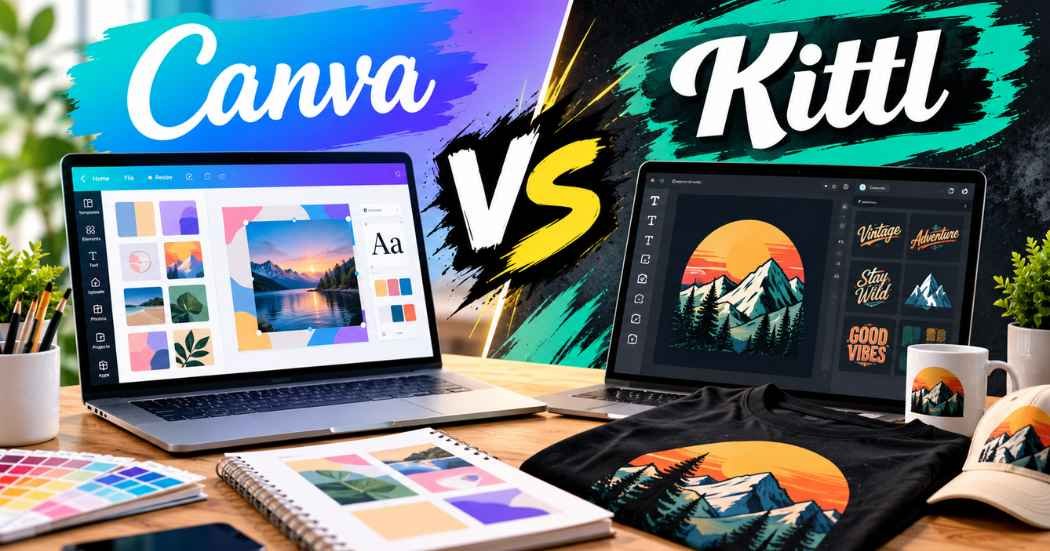
Canva vs Kittl is a question many new designers and T-shirt sellers ask before they pay for a plan.
The two tools look alike at first, but they are built for different jobs, and the wrong pick can waste time and money.
This guide compares them for beginners, T-shirt designers, and Print-on-Demand sellers, so you can choose with less guesswork.
Canva vs Kittl: Quick Comparison
Here is the short version. Items marked “(paid)” depend on your plan.
Area | Canva | Kittl |
Main purpose | All-in-one design tool for social posts, slides, documents, video, and print | Design tool built around typography, vector art, and merch graphics |
Ease of use | Very easy. Drag and drop, with lots of guidance | Easy to start, but a bit more design-focused |
T-shirt design | T-shirt templates and simple text or graphic layouts | T-shirt templates, text effects, and mockups |
Typography and text effects | Many fonts and text styles, simpler effects | Text effects and styled text are a core feature |
AI design features | Canva AI tools for images, edits, and layers. Shared AI allowance by plan | AI image, vector, and video tools, plus background remover and upscaler. Token-based by plan |
Vector editing | Basic. Vector-style export is limited and depends on plan | Dedicated vector tools. Vector export (paid) |
Templates and design resources | Over a million templates on Free, more on Pro (paid) | Large template and mockup library. Full access (paid) |
Social media graphics | Excellent. Many sizes, plus scheduling on Pro (paid) | Good for styled graphics, with fewer social tools |
Print-on-Demand workflow | Create, resize, and mock up. Check which plan has the exports you need | Create, export, and mock up. Commercial license on paid plans |
Free plan | Yes | Yes, for personal use only |
Paid plans | Pro, Business, and Enterprise | Pro, Expert, and Max |
Best type of user | Beginners and mixed projects | Merch designers and type lovers |
What Is Canva?
Canva is an online design tool that works in your browser and in apps. You pick a template, change the text and pictures, and export. That is the whole idea, and it is why so many beginners start here.
It covers a wide range. You can make Instagram posts, slides, flyers, documents, short videos, and T-shirt designs in the same place. Canva’s pricing page says the Free plan includes more than 1,000 design types, and the paid plans add more templates and premium content.
The screen is easy to read. Templates, elements, text, and uploads sit in a panel on the left. Your design sits in the middle. There are also helpers like a background remover, a Brand Kit, and mockups.
For beginners, Canva is hard to beat on comfort. The trade-off is depth. It is a general tool, so it does not go as far on fancy lettering or detailed vector art.
What Is Kittl?
Kittl is a browser-based design platform, and like Canva it sits in the group of popular graphic design tools. It focuses on text, logos, vector graphics, and merch. If you like retro badges, curved text, or bold poster lettering, you are in its home territory.
Its editor has an infinite canvas, text effects, and vector tools. Kittl’s own site also lists an AI image generator, an AI vector generator, a vectorizer, a background remover, and an image upscaler. Its pricing page says it has 10,000+ premium templates and mockups made by independent designers.
A normal workflow goes like this. You start from a template or an AI prompt. You then change the words, colors, and shapes. Finally you export.
Kittl suits creative projects where the look of the text matters. It is less of an office tool, so you will not find as many slide or document features.
Canva vs Kittl for T-Shirt Design
A T-shirt design looks simple on the surface, but small details decide if it works. Here is how the two tools handle the main parts.
Typography-Based Designs
Both tools can make a text-only shirt. Canva gives you plenty of fonts and quick layouts, which is enough for a clean slogan. Kittl goes further with styled and curved text and many effects. If your shirts depend on lettering, Kittl feels closer to the job.
Vintage and Retro Designs
Retro looks often use badges, worn textures, and layered text. Kittl is built around these styles, and its templates lean that way. You can make a retro look in Canva too. It just takes more manual work.
Graphic Illustrations
Canva has a large library of graphics and AI image tools. Kittl has its own graphics library and AI tools for images and vectors. Remember that the license rules for assets and AI output are not the same in each tool. More on that below.
Text Layout and Decorative Effects
Canva keeps this simple, which helps beginners. Kittl gives you more control over curves, outlines, and effects. If you want to try many looks fast, Kittl has more to play with. If you want a quick, clean layout, Canva is fine.
Transparent-Background Exports
A shirt design usually needs a transparent background, so only the art prints. Do not assume your free plan can export what you need. Kittl says high-resolution and vector exports are part of its paid plans. In Canva, check which plan includes transparent and print-ready exports before you commit.
Print-Ready File Preparation
Canva’s plan comparison lists print-ready and CMYK export options, so look at which plan includes them. Kittl lists vector exports as a paid feature. Either way, your printer or marketplace has the final say on file type, size, and color mode.
Workflow for Many Designs
If you make many shirts, speed matters. Canva lets you duplicate a design, swap text, and resize it quickly. Kittl lets you reuse styles and templates, and its AI tools can create variations. Pick the one where you can repeat a look without redoing everything.
As T-shirt design software, the short answer is this. Canva is easier for fast, simple shirts. Kittl is stronger when the lettering is the star.
Canva vs Kittl for Print-on-Demand
Print-on-Demand means a company prints your design on a product when someone orders it. You make the art, and the partner prints and ships. Here is how each tool fits a workflow where you handle the design yourself.
- Creating original designs: Both tools work. Canva allows you to sell original designs, but it does not allow you to sell Canva content on its own. Kittl’s commercial license covers paid plans only.
- Preparing artwork: Kittl’s vector focus helps when you need sharp edges at any size. Canva is fine for simple artwork, but check which exports your plan includes.
- Export formats: Look at the formats your platform asks for, then check that your plan can produce them.
- Product mockups: Both tools have mockup features. They are handy for listing photos.
- Design variations: Canva is quick for resizing and color swaps. Kittl is quick for style changes.
- Marketplaces: You may sell on Amazon Merch on Demand, Etsy, or through Printify. Each one has its own file specs and rules.
Marketplace requirements differ and they change. Before you publish anything, check the current file specs, the commercial-use rights in your tool, and the platform’s own policies. This is true for any Print-on-Demand design tools you use.
Canva vs Kittl AI Features
Both tools now have AI built in. Here is what their official pages state.
Canva offers Canva AI for creating images and designs, plus helpers like Magic Layers, background removal, and edit tools. Its pricing page says AI tools use a shared allowance, and the amount depends on your plan. Free gets a small amount. Pro and Business get more.
Kittl lists an AI image generator, an AI vector generator, a vectorizer, a background remover, an upscaler, video tools, and Kittl Flows. AI runs on tokens. Its pricing page says monthly tokens do not roll over, and Expert and Max also get daily tokens.
What can AI do for you? It can give you ideas, make a first draft of art, remove a background, or speed up repeat work. It does not replace your judgment.
Keep AI output and hand-edited work separate in your head. A design you built from your own text, shapes, and edits is one thing. A picture a model generated is another. Canva’s help page says some AI tools, such as Magic Edit and tools from outside providers, are not covered by its Content License Agreement. So read the terms for each AI tool you use before you sell the result.
These AI design tools are good for speed. They are not magic. You still need to look at every result with a critical eye.
Canva vs Kittl Pricing
Both tools have a free plan and paid plans. The prices below come from each company’s official pricing page in October 2026, in US dollars. Prices, limits, and rights can change by plan or region, so check the live pages before you buy.
Canva
- Free: US$0 for one person.
- Pro: US$144 per year for one person.
- Business: US$250 per year per person.
- Enterprise: custom pricing.
Kittl
- Free: personal use only.
- Pro: US$12 per month, billed annually.
- Expert: US$26 per month, billed annually.
- Max: US$48 per month, billed annually.
Kittl’s prices are per editor. Its FAQ says Free has no commercial rights. Pro and Expert include a commercial license for up to 500,000 copies. Business plans have an enhanced license. Canva’s Free and Pro content can be used to design products for sale under its license terms, with limits.
The cheaper plan is not always the better value. A plan is worth it only if it has the exports and rights you need.
Canva vs Kittl: Pros and Cons
Canva
Pros
- Very easy to learn.
- Works for social posts, slides, documents, and print.
- Large template library.
- Handy extras like mockups, Brand Kits, and background removal.
- Good for teams and quick edits.
Cons
- Less depth for fancy lettering and vector art.
- Some exports and tools depend on a paid plan.
- AI use is limited by a shared allowance.
- Some AI tools sit outside its Content License Agreement.
Kittl
Pros
- Strong text effects and typography tools.
- Dedicated vector tools and vector export on paid plans.
- Templates and mockups that suit merch.
- AI tools for images, vectors, and background removal.
- Clear commercial license on paid plans.
Cons
- Free plan is for personal use only.
- AI tokens do not roll over each month.
- Fewer tools for slides, documents, and social scheduling.
- Premium templates need a paid plan.
Canva vs Kittl: Which Is Easier for Beginners?
Kittl vs Canva for beginners is a close call, but Canva usually wins on comfort. Its layout is simple and its templates cover almost any project. You can finish a first design in minutes.
Kittl is not hard. It just shows more design options, so there is more to learn. The upside is stronger text and vector tools.
Here is a quick guide.
- Mostly social media graphics: Start with Canva. It has the sizes, templates, and scheduling you need.
- Mostly T-shirt artwork: Try Kittl first, especially if your designs are text-heavy, retro, or badge-style.
Beginners can make professional-looking designs in either one. A good template and a simple layout go a long way.
Canva vs Kittl: Which Tool Should You Choose?
In the Canva vs Kittl choice, there is no single winner. It depends on what you make.
Choose Canva if you want one tool for many jobs. It fits if you make social posts, slides, and the odd T-shirt, and want to learn fast.
Choose Kittl if you mainly make merch. Its text effects, vector tools, and templates fit shirt and poster work better.
Using both can make sense in one case. You might plan social posts in Canva and build shirt art in Kittl. If you do that, start with the free plans and only pay for the second tool when a real need shows up. Do not buy two subscriptions just because you can.
Frequently Asked Questions
Is Canva or Kittl better for T-shirt design?
It depends on the style. Canva is easier for simple, clean shirts. Kittl has stronger text effects and vector tools, so it often suits lettering-heavy and retro shirts better.
Is Kittl easier than Canva?
Usually not. Canva is simpler to pick up. Kittl is still beginner-friendly, but it has more design options to learn.
Can I use Canva or Kittl for Print-on-Demand?
Yes, both can be used to make designs for Print-on-Demand. Check your plan’s exports, the license terms, and the marketplace rules first.
Which tool is better for typography-based designs?
Kittl is built around typography and text effects, so many designers lean toward it for lettering. Canva can still handle clean, simple text designs.
Can beginners create professional-looking designs with either tool?
Yes. Templates, simple layouts, and good font choices help. The tool matters less than your design choices.
Do Canva and Kittl offer free plans?
Yes. Both do. Kittl’s free plan is for personal use only. Check each tool’s current free limits before you start.
Can I sell designs created with Canva or Kittl?
Often yes, but it depends on your plan, the assets you use, and the license terms. Kittl’s Free plan has no commercial rights. Canva only lets you sell original designs and not Canva content by itself. Always read the current terms.
Which tool is better for creating original T-shirt graphics?
If you want to build graphics from scratch with vector tools and styled text, Kittl is a strong fit. If you want a faster, simpler workflow, Canva works well. In both cases, make sure your assets and AI output are covered by the license.
Final Verdict
Canva vs Kittl comes down to what you make most. Canva is the easier, all-around choice for social posts, slides, and quick designs. Kittl is the more focused choice for typography, vector art, and merch.
If you are new and want one simple tool, begin with Canva. If you are building T-shirt or Print-on-Demand designs with lots of lettering, Kittl deserves a close look.
Whichever you pick, read the license terms, and confirm your file and marketplace needs before you publish. Try the free plans first, test a real design in each, and only pay when you know a paid plan solves a problem you actually have.