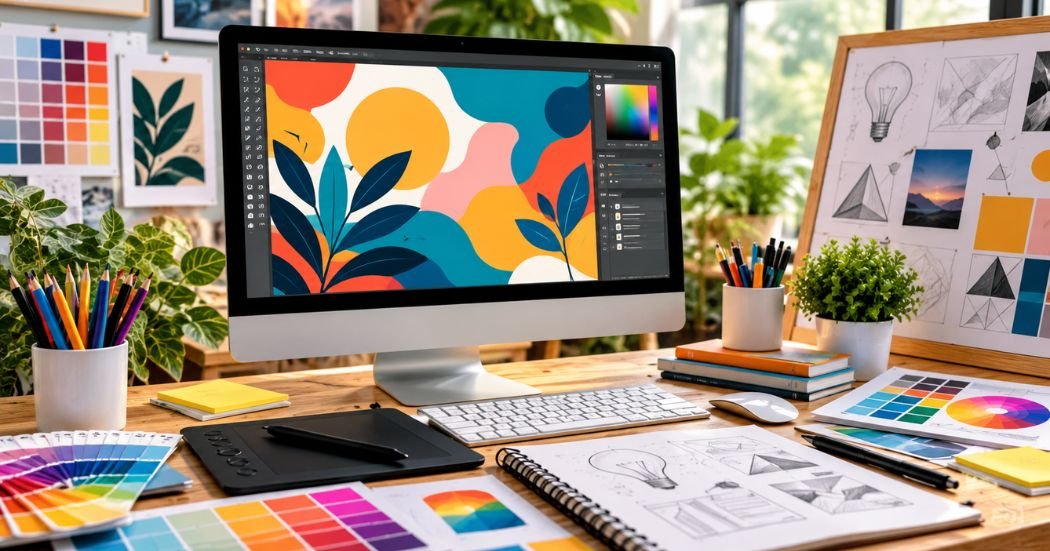
What is graphic design, and why does it show up in almost everything you see?
It is the craft of using pictures, colors, and words to share a clear message.
This guide explains the basics in plain words, so you can start with confidence.
What Is Graphic Design?
Graphic design is visual communication. Designers use images, colors, shapes, fonts, and layouts to share information or an idea. The goal is simple. The viewer should understand the message fast.
Picture a poster for a school bake sale. It needs a date, a place, and a reason to come. The designer picks a big headline, one clear photo of a cake, and a few small details. Your eye lands on the headline first. Then it moves to the date and place. Nobody has to hunt for the facts.
You see the same thinking in a website banner, a product label, or a social media graphic. Each one has a job to do.
Decoration and design are not the same thing. Decoration only makes something look nice. Purposeful design makes something look nice and work. A bright border around a poster is decoration. A bold date that people can read from across the room is design.
Why Is Graphic Design Important?
Good design helps businesses, websites, brands, and individuals in several ways.
- It shares information clearly. A well-made menu, sign, or chart saves people time.
- It builds brand recognition. When a business uses the same logo and colors, people begin to remember it.
- It makes content easier to understand. A simple infographic can explain steps faster than a long block of text.
- It creates a consistent look. Matching colors and fonts make a website, a shop, and a social media page feel like one family.
- It helps people notice what matters. A sale date, a warning, or a button gets attention when it stands out.
What Are the Main Types of Graphic Design?
Graphic design covers many fields. Here are the main types.
Brand Identity Design
A brand identity is how a business looks to the world. It includes the logo, brand colors, fonts, and style rules.
Marketing and Advertising Design
This type covers posters, ads, flyers, promotional graphics, and social media creatives. The aim is to catch attention and give a clear message. A good ad has one main idea, a short headline, and an easy next step.
Web and Digital Design
This includes website graphics, landing page layouts, banners, and digital screens. Graphic design and UI/UX design overlap, but they are not the same. Graphic design focuses on how things look. UI/UX design focuses on how a product works and feels to use, such as where buttons go and how people move through an app. Many designers learn a bit of both.
Publication Design
Publication design shapes books, magazines, brochures, and reports. Designers choose page layouts, fonts, and image placement. The goal is to help people read comfortably from the first page to the last.
Packaging Design
Packaging covers labels, boxes, bags, and bottles. It must show the product name, key facts, and the brand style. A snack bag has to say what is inside and stand out on a crowded shelf.
Motion Graphics
Motion graphics are moving visuals. Examples include animated text, short logo animations, and explainer videos. Designers use them for social media clips, video intros, and online ads.
T-Shirt and Print-on-Demand Design
Print-on-demand (POD) lets you put artwork on T-shirts, hoodies, mugs, and other products. The product is printed after an order comes in. Designers create the artwork. Some things matter a lot here:
- Readable text. Words must be easy to read from a distance, even on a small shirt.
- Suitable artwork. A design that looks great on a screen may not work on a dark shirt or a curved mug.
- Print quality. Low-resolution images can look blurry when printed.
- Correct file preparation. Each POD platform has its own rules for file size, format, and background. Always check them before you upload.
What Are the Basic Principles of Graphic Design?
Principles are simple rules that help a design work well.
Balance
Balance means the elements feel steady, not lopsided. If you put a big image on the left, add something on the right to match its weight.
Contrast
Contrast means showing differences. Dark text on a light background is easy to read. A big headline stands out next to small body text. Use contrast to show what matters most.
Alignment
Alignment means lining things up. When text and images share a clear edge, a layout looks neat.
Hierarchy
Hierarchy tells the reader what to look at first, second, and third. Size, color, and placement all help. On a flyer, the event name might be the largest item. The date comes next. The small print comes last.
Repetition and Consistency
Repeat the same colors, fonts, and styles across your work. A set of social media posts that share one look feels like a team. A set with a new style every time feels random.
Proximity
Proximity means placing related items close together. On a business card, the name and job title belong together. The phone number and email can sit in a second group.
White Space
White space is the empty area around things. Extra room gives the eye a place to rest. A crowded page feels tiring. A page with room to breathe feels calm and easy to read.
What Tools Do Graphic Designers Use?
There are many design tools, and no single one is best for everyone. The right choice depends on your goals, your budget, and your computer. Here are five common ones.
Canva
Canva is a web-based tool with ready-made templates. Many beginners use it for social media graphics, presentations, flyers, and simple designs.
Kittl
Kittl is an online design tool. It suits typography-based artwork, vintage-inspired designs, lettering, and T-shirt graphics. Features and export options can vary by plan, so check the current details on the official site before you choose.
Adobe Illustrator
Illustrator is a vector graphics program. It is often used for logos, icons, and detailed illustrations. Vector artwork can be resized without losing quality.
Adobe Photoshop
Photoshop is known for photo editing and image manipulation. It works mainly with raster graphics, which are made of tiny pixels.
Inkscape
Inkscape is a vector graphics editor that is free to download and use. It is a good option for learners who want to try vector design without a monthly fee.
You do not need to learn every program. Pick one tool that fits your goals and use it for a while. Once you know one well, switching to another is much easier.
What Is the Difference Between Raster and Vector Graphics?
Almost every digital design is either raster or vector. Knowing the difference helps you pick the right file.
Raster graphics are built from tiny squares called pixels. Photos are raster images. When you enlarge a raster image too much, it can look blurry or blocky.
Vector graphics are built from points, lines, and curves. The computer follows math instructions to draw them. You can scale a vector up or down, and the edges stay sharp. That makes vectors a good choice for logos.
| Graphic Type | Main Feature | Common Uses | Examples of Formats |
| Raster | Made of pixels; can blur when enlarged | Photos, web images, detailed digital art | JPG, PNG |
| Vector | Made of paths; stays sharp at any size | Logos, icons, illustrations, print artwork | SVG, AI, PDF (often) |
A few notes on common formats:
- JPG suits photos and keeps files small.
- PNG supports transparent backgrounds.
- SVG is a vector format that works well on websites.
- PDF can hold both vector and raster elements.
The best export format depends on how you will use the file. A printer may ask for a specific format, size, or resolution. Read them first.
How to Learn Graphic Design as a Beginner
A steady plan works better than trying to learn everything at once.
- Learn the basic design principles. Start with the seven in this guide.
- Choose one design tool. Pick a program that fits your goals and stick with it.
- Study good design examples. Look at posters, packaging, and websites you like. Ask yourself why they work.
- Practice typography and color. Try pairing two fonts. Test a few color combinations for readability.
- Recreate simple layouts for practice. Copying the structure of a layout is a fine way to learn. Never present another person’s work as your own.
- Create original designs. Make a flyer, a logo, or a social media set from your own ideas.
- Build a small portfolio.
- Ask for feedback and improve. Share your work with friends, classmates, or online design groups, then revise.
Progress comes from regular practice and thoughtful review.
Common Graphic Design Mistakes to Avoid
Every designer makes mistakes. Here are common ones with quick fixes.
- Using too many fonts. Stick to two or three fonts per design.
- Poor color contrast. Light gray text on a white page is hard to read. Choose a darker color or a plain background.
- Adding too many elements. Remove anything that does not help the message.
- Ignoring alignment and spacing. Use guides and keep gaps even.
- Using low-resolution images for print. Start with larger, high-quality files and check the printer’s requirements.
- Ignoring the target audience. Think about who will see the design.
- Copying copyrighted artwork without permission. Make your own work, or use assets that you have the right to use.
- Exporting files in unsuitable formats. Check where the file will go, then export in the right format.
Can You Make Money With Graphic Design?
Some people do. Here are a few realistic paths:
- Freelance design services. Offer logos, flyers, or social media graphics to clients.
- Selling original digital products. Examples include templates, planners, and printable art.
- Creating print-on-demand artwork. Upload designs to POD platforms for products like shirts and mugs.
- Designing social media graphics. Many small businesses need regular posts.
- Working with businesses or creative agencies. Some designers take full-time or part-time jobs.
Income depends on your skills, demand, the quality of your work, marketing, and other factors. No one can promise specific earnings or guaranteed sales.
Licensing matters too. Commercial fonts, stock assets, templates, and AI-generated assets can all have different license terms. Marketplaces and POD platforms also have their own rules. Read the license and the platform rules before you sell any design. This is general guidance, not legal advice. If you are unsure, check the official terms or ask a qualified professional.
Frequently Asked Questions
Is graphic design easy for beginners?
The basics are easy to start. You can learn simple rules like contrast and alignment quickly. Getting good takes practice, just like any skill. Start with small projects, like a poster or a social media post, and build up from there.
Do I need drawing skills to learn graphic design?
Not always. Many designers work with text, shapes, photos, and layouts instead of hand drawing. Drawing can help with illustration and lettering, but it is not required for every type of design. You can learn it later if you want to.
Which graphic design software should a beginner learn first?
It depends on your goals. Canva is beginner-friendly for simple graphics. Inkscape is a free choice for vector work. Illustrator and Photoshop offer deep features but take longer to learn. Pick one tool, practice with it, and switch only if your needs change.
Can I learn graphic design for free?
Yes, in many cases. You can find free tutorials, practice projects, and free tools such as Inkscape. Some other programs offer free plans or trials. Paid courses may add structure or extra features, but they are not the only way to start.
What is the difference between graphic design and digital art?
Graphic design solves a communication problem, such as a logo, ad, or poster. Digital art focuses more on personal expression and creative style. The two overlap, and many people do both. The main difference is the purpose behind the work.
Can I use graphic design skills for print on demand?
Yes. POD sellers need artwork for shirts, mugs, and more. Design skills help you make readable text, clean artwork, and print-ready files. Sales depend on many things, including niche, quality, and marketing, so no result is guaranteed. Always follow each platform’s rules.
How long does it take to learn basic graphic design?
It varies. Some people pick up basics in a few weeks of regular practice. Others take longer. Your time, goals, and tool choice all matter. Steady practice and honest feedback matter more than speed, so set small goals and review your progress.
Final Thoughts
So, what is graphic design? It is the practice of using images, colors, fonts, and layouts to share a message clearly. It helps brands get remembered, helps readers understand ideas, and helps important details stand out.
You do not need to know everything on day one. Learn the basic principles. Choose one tool that suits you. Then practice with small projects, like a flyer, a logo, or a social media post.
Ready for the next step? Explore more beginner-friendly design tutorials and keep building your skills one project at a time.